Copilot onboarding that gets the first action done
Copilot onboarding fails when users hit a blank prompt. Design it around one obvious first win that moves activation fast, not a tour of every feature.
 Shahriar P. ShuvoAI Copilots & Assistants7 min read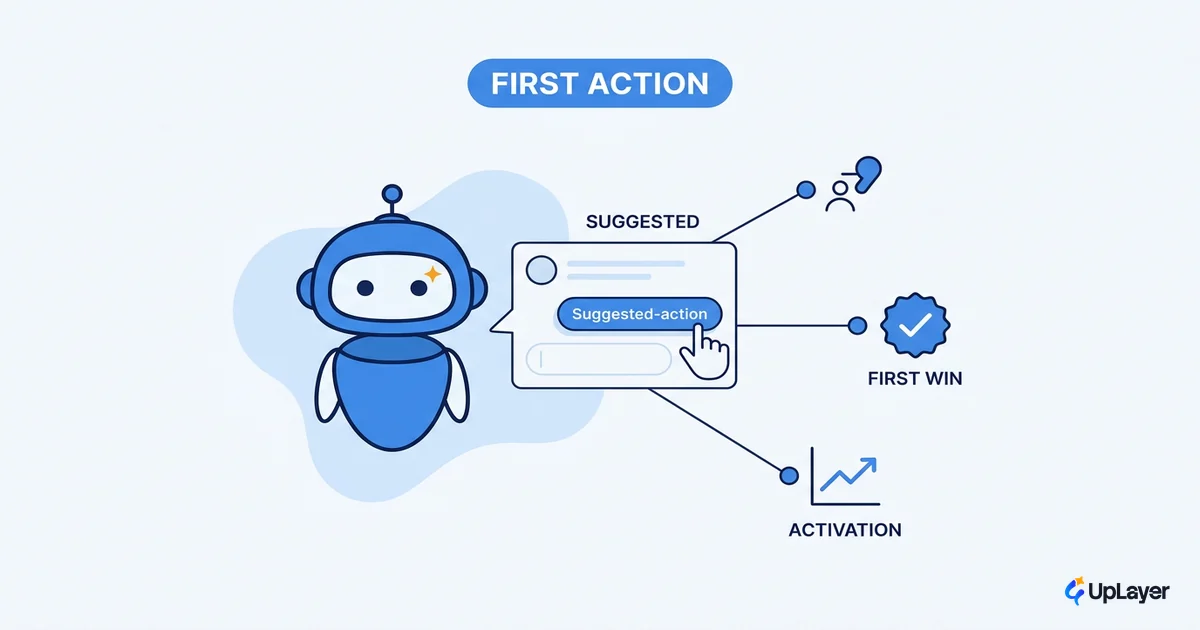
You can ship a genuinely capable copilot and still watch almost nobody use it. The model is fine. The integration is fine. The problem shows up the moment a real user opens the panel for the first time, sees "How can I help?", and has no idea what to type. They close it and go back to doing the job by hand.
That blank prompt is where most copilots die, and it is exactly what copilot onboarding has to solve. Not by explaining the feature, but by getting the user through one real action that proves the thing works. A copilot that completes a single useful job in the first session earns a second session. One that asks an open question and waits does not.
This is an activation problem wearing a UX costume. If you are still deciding what the assistant should even be, start with designing an AI assistant that earns trust and come back here for the first-run experience. The rest of this piece is about that first run: why users ignore a new copilot, what a good first task looks like, and how to design onboarding around one obvious win instead of a tour.
Why users ignore a new copilot
Users ignore a new product copilot because nothing tells them what it can do, and an open text box is not an invitation, it is a test they did not study for.
When a chatbot opens with a vague prompt, the user has to invent both the question and the phrasing, in a tool they have never used, with no signal about what is in scope. Nielsen Norman Group's usability research on first-time AI users found that users cannot tell what to ask a copilot they have never used, and that broad, self-explanatory example prompts work where niche or trendy ones get skipped. The same study found popups during onboarding get dismissed almost immediately, because people read them as ads.
So the failure is rarely the model's answer quality. It is the gap before the first question ever gets typed. Three things drive it:
- No signal of scope. The user does not know whether the copilot handles their data, their workflow, or just FAQs.
- Capability mismatch. They ask the one thing it cannot do, get a dead end, and never come back.
- Frictionless exit. A copilot is easy to ignore by design. If the first interaction is not obviously worth it, the path of least resistance is the old manual workflow.
Fix the first session or the rest of the experience never gets a chance.
Copilot onboarding is an activation problem
Treat copilot onboarding as an activation lever, because that is the number it moves. Activation is the share of new users who reach the moment the product's value becomes obvious, and for a copilot that moment is the first completed action, not the first message sent.
The loss is bigger than most teams assume. Userpilot's benchmark data puts the average SaaS activation rate around 37.5%, with product-led companies averaging a lower 34.6%.
Across SaaS products, the average activation rate is roughly 37.5%, and product-led companies sit lower at 34.6%. The first session is where most of the loss happens.
That framing changes the whole design conversation. Instead of asking "how do we explain the copilot?", you ask "what is the first action that proves value, and which activation metric does it move?" Pick a metric you already track, define the in-app AI assistant's activation event as one concrete completed task, and you now have a number that tells you whether onboarding works. If you have not defined that event yet, measure whether the copilot actually works before you tune the onboarding around it.
This is the supportive-AI discipline applied to the first run. The copilot is not there to demo intelligence. It is there to get a job done, and onboarding's only job is to get the user to that first done job fast.
What is a good first task for a copilot
A good first task for a copilot is small, obviously useful, hard to get wrong, and finishes inside the first session. It should produce a result the user would have wanted anyway, so completing it feels like a win rather than a tutorial step.
The strongest evidence that "complete one real task" is the right target comes from controlled study. In GitHub's research, developers given an assistant completed the task at a higher rate and 55% faster (78% completion versus 70% without it). The value landed when the tool helped finish a concrete job, not when it described itself.
Here is the line between a first task that activates and one that stalls:
| Good first task | Why it works | Bad first task | Why it stalls |
|---|---|---|---|
| Summarize the record the user is already viewing | Uses context the copilot already has; zero setup | "Ask me anything" | No scope signal; user must invent the question |
| Draft a reply from an existing thread | Produces output the user wanted regardless | Configure your preferences first | Effort before any value is shown |
| Find the 3 accounts that match a stated rule | One clear input, one useful output | Explore everything it can do | Choice overload; nothing gets finished |
| Turn a selected row into a formatted note | Reversible, low stakes, obvious result | Run a multi-step workflow | High effort, high chance of a wrong turn |
The pattern: pick a task where the copilot already has the context (the open record, the selected text, the current thread) so the user supplies almost nothing. Reserve the powerful, open-ended capability for session two. The first session is for proof, not range.
How do you onboard users to a copilot
You onboard users to a copilot by removing the blank prompt and replacing it with a scoped suggestion that leads to one completed action, then getting out of the way. Four moves, in order.
- Open with scoped suggestions, not an open box. Show two or three named example actions tied to what the user is looking at right now. This is the single highest-leverage fix, and it follows the same in-app AI assistant principle of telling people what to ask instead of waiting for them to guess.
- Engineer one obvious win. Make the top suggestion the good first task from the table above. Completing it should take one click or one short instruction.
- Use contextual help, not a tour. Nielsen Norman Group's work on onboarding shows contextual help shown at the moment of need beats an upfront tour; Clippy is the canonical failure of pushing assistance nobody asked for. Surface a tip when the user pauses, not a five-step walkthrough on open. Sound AI assistant UX patterns favor pull over push.
- Instrument the first action as the activation event. Decide the exact event that counts and track it from day one, so onboarding becomes measurable instead of anecdotal.
That last step is where most teams hand-wave. Define it as a formula and the whole thing becomes testable:
copilot_onboarding_works =
    (new users who complete the first real action in session 1)
    / (new users who opened the copilot in session 1)

target: move this rate up release over release
first action = one scoped, useful task the copilot can finish with
               context it already has (NOT "sent a message")
Once that rate is on a dashboard, every onboarding change is an experiment with a verdict instead of an opinion.
What not to build into copilot onboarding
The fastest way to lower your activation number is to build onboarding that gets in the way of the first action instead of toward it. Three anti-patterns show up again and again, and all three feel productive while shipping.
- The grand tour. A multi-step walkthrough of every capability before the user has done anything. It delays the first win and teaches range nobody asked for yet.
- The capabilities wall. A long intro message listing everything the copilot can do. Users skim it, learn nothing, and still face a blank box.
- The gamified checklist. Badges and progress bars wrapped around tasks that do not produce real value. It optimizes completion of the tutorial, not completion of a job.
WARNING
If your copilot onboarding teaches the feature instead of finishing one real task, you are decorating the blank prompt, not removing it. Design the first win, then measure whether users reach it.
None of these is wrong because it looks bad. They are wrong because each one puts effort between the user and the first proof of value, which is the exact gap activation data keeps flagging.
Strong copilot onboarding is almost boring: one scoped suggestion, one finished job, one tracked event, then room to explore. Get the first action done and the second session takes care of itself; miss it and no amount of model quality will pull the number back up. The teams that win here treat the first run as the product, not the wrapper around it.
TIP
Not sure which first action would actually move your activation number? How the AX Audit works.