How AI powered workflow automation actually works
AI powered workflow automation is a decision layer, not a faster macro. Here is how it actually decides, where it breaks, and where a human stays in the loop.
 Sohanur RahmanAI Automation7 min read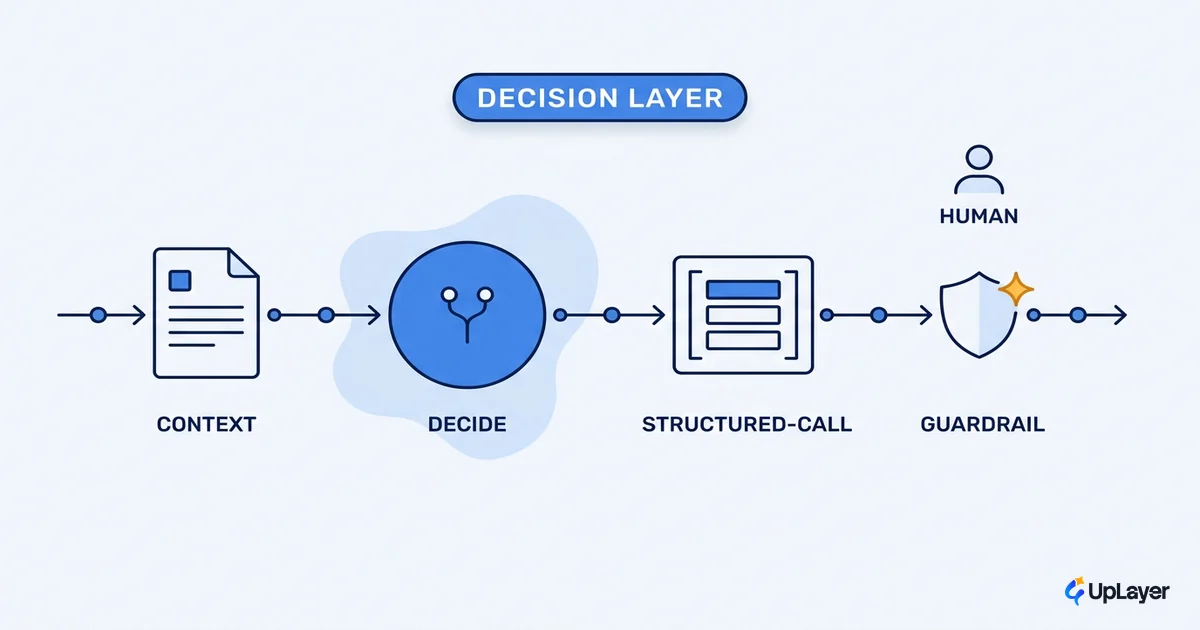
"Automation" is the wrong word, and it sets the wrong expectation. A classic automation runs the same steps the same way every time. AI powered workflow automation does something different: it reads an ambiguous input, makes a judgment about what to do next, and acts. It is a decision layer, not a faster macro. That distinction is the whole story, because a decision layer can be wrong, and the real design work is deciding which decisions it is allowed to make on its own.
Most explainers skip straight to the plumbing, connect app A to app B, drop an AI step in the middle, ship. That is how you end up with a workflow that demos beautifully and quietly makes bad calls in production. Before you wire anything, it helps to know what AI workflow automation is worth for a SaaS team, because the value and the risk live in the same place: the decision.
This piece walks through the actual mechanism. How the system decides, where it breaks, and where you keep a person in the loop on purpose.
What AI powered workflow automation actually changes
Deterministic automation follows rules you wrote. AI workflow automation adds a step that interprets, classifies, or chooses when the rule book runs out. That is the upgrade and the liability in one move.
Think of a refund workflow. A deterministic version says: if amount < 20 and account_age > 90d, approve. An AI powered version reads the customer's message, weighs tone, history, and policy, and decides whether this case warrants a refund at all. The first never surprises you. The second handles the messy 80% that no rule book covers, and occasionally gets it wrong in ways you did not anticipate.
That gap between "handles ambiguity" and "occasionally wrong" is where projects die. Gartner predicts that more than 40% of agentic AI projects will be canceled by the end of 2027, citing escalating costs, unclear business value, and inadequate risk controls. None of those are model problems. They are decision-design problems.
| Deterministic automation | AI powered workflow automation | |
|---|---|---|
| Handles ambiguous input | No | Yes |
| Output is predictable | Yes | Mostly, not always |
| Fails | Loudly (errors out) | Quietly (wrong but confident) |
| Right design question | "What are the rules?" | "Which decisions can it make alone?" |
How does AI powered automation make decisions
The decision is a loop, and it is less mysterious than the marketing suggests. The model receives context plus a list of actions it is allowed to take, picks one, and returns a structured request to run it. Your code runs the action and feeds the result back. Then the loop repeats until the job is done.
The model is not "doing the work." It is choosing the next tool call. In Anthropic's framing, the model decides when to call a tool based on the request and each tool's description, then returns a structured call your application executes. OpenAI's function calling works the same way, and with strict mode the call is guaranteed to conform exactly to the schema you define. The model proposes; your system disposes.
# The decision loop, stripped to its bones
context = build_context(incoming_event)        # what the model sees
tools = [refund, escalate, request_more_info]  # what it's allowed to do

while not done:
    choice = model.decide(context, tools)      # model picks ONE next action
    if choice.confidence < THRESHOLD:          # a guardrail, not the model
        route_to_human(choice)                 # human-in-the-loop check
        break
    result = run(choice.tool, choice.args)     # your code executes
    context = update(context, result)          # feed the result back
Two things matter here. The model only ever proposes an action; nothing runs until your code chooses to run it. And the THRESHOLD line is not the model's job, it is yours. That single check is where reliability guardrails live.
What can go wrong with AI automation
The failure modes are specific, and naming them is half the defense. AI automation rarely fails by crashing. It fails by acting confidently on a wrong conclusion, which is much harder to catch.
- Hallucinated action: the model invents a parameter or a step that was never valid, and the structured call looks perfectly well-formed.
- Silent drift: inputs shift over weeks, the model's accuracy degrades, and nobody notices because there is no error, just slowly worse decisions.
- Wrong confidence: the model is most dangerous when it is wrong and certain, because confidence is the signal most workflows use to skip review.
- Compounding errors: in a chain of steps, a small early mistake feeds the next step, and the error grows instead of cancelling out.
This is not hypothetical. Stanford's AI Index reports that AI-related incidents are rising sharply even as standardized responsible-AI evaluations stay rare, which is precisely the gap a production workflow falls into. The point is not to fear automation. It is to build the guardrail before the model touches anything irreversible. A real part of the craft is knowing when not to automate with AI at all.
WARNING
Most AI workflow automation ships without a defined failure plan. Decide the metric you are moving and the guardrail that catches a wrong action before you pick a model. The model is the easy part.
Where do you keep a human in the loop
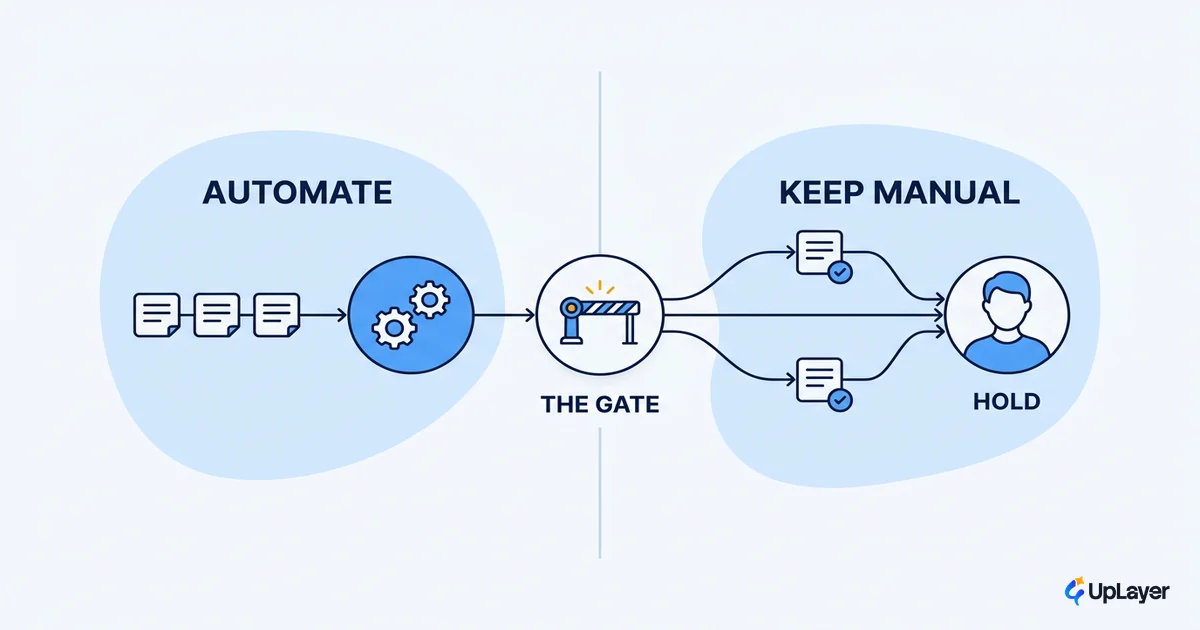
Keep a human in the loop wherever the cost of a wrong action is high and the action is hard to reverse. That is the entire rule, and it is a two-axis decision, not a feeling.
Score each action on two questions: how expensive is a wrong call, and how reversible is it? A mislabeled support ticket is cheap and reversible, automate it fully. A refund or an account deletion is costly and hard to undo, route it through a person until the system has earned trust. The human-in-the-loop check is not a failure of automation; it is the feature that lets you automate the rest safely.
| Cost of error | Reversible | Hard to reverse |
|---|---|---|
| Low | Full automation | Automate, log for review |
| High | Automate with a confidence gate | Human-in-the-loop, always |
This is also where the money is. MIT Sloan and BCG found that only about 1 in 10 companies gets significant financial benefit from AI, and the separator was mutual learning between people and machines, not the model itself. The teams that win treat the human review queue as a training signal, not overhead. Every correction makes the next decision better. The same logic applies whether you are routing refunds or running AI customer support automation: the person in the loop is how the system gets reliable enough to trust.
How to design supportive AI automation that pays back
Supportive AI sits on top of a process you already trust and makes it faster, while a human keeps authority over the decisions that matter. It does not replace the engine; it layers on top of it. Design it in this order:
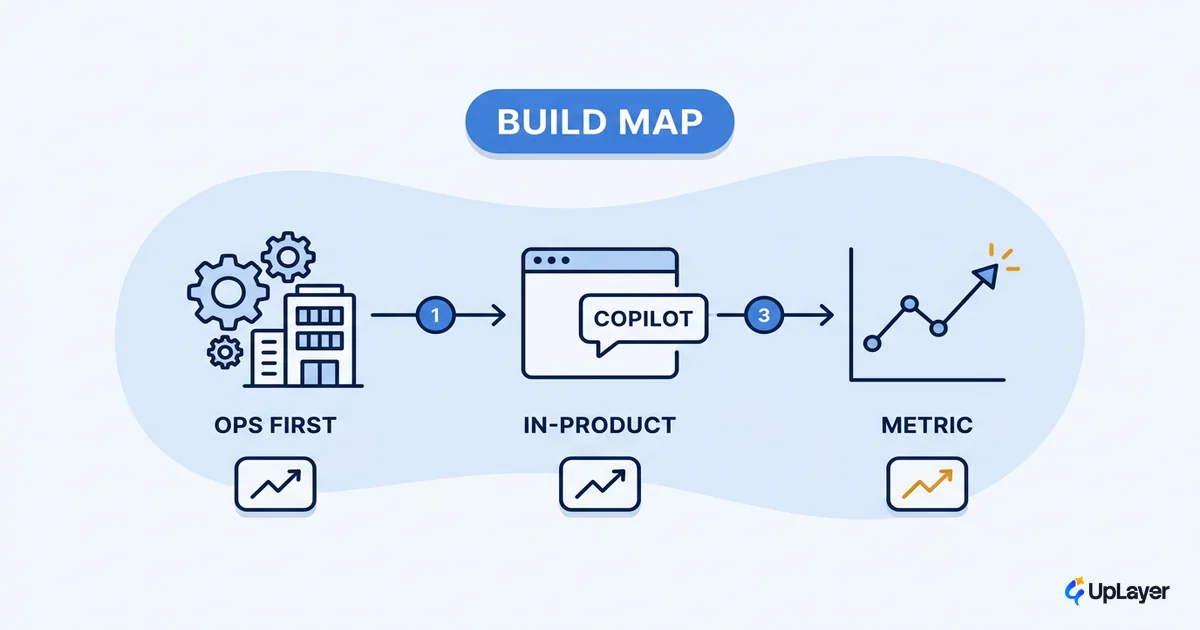
- Pick one metric you already track (resolution time, refund accuracy, activation rate). If the workflow cannot move a number, it is theater.
- Map each action by cost and reversibility using the table above, and set the human-in-the-loop boundary there.
- Add the guardrail before the model. A confidence gate, a schema constraint, a review queue. Reliability guardrails are the product, not a nice-to-have.
- Run it in shadow first. Let it propose decisions a human still makes, compare, then hand over only the cases it gets right consistently.
For shapes that work in practice, these concrete AI workflow automation examples show the pattern applied to real workflows.
The teams that get value from AI powered workflow automation are not the ones with the best model. They are the ones who decided, deliberately, which decisions the machine makes and which a person keeps, then tied the whole thing to a number they were already watching. Get that boundary right and the automation pays back. Get it wrong and you join the 40% that gets canceled.
TIP
Want to know which workflow in your product is worth automating first, scored against a metric you already track? How the AX Audit works.