AI workflow automation for SaaS: a build map
AI workflow automation for SaaS works when you sequence it: internal ops first, in-product second, and every workflow tied to a metric you already track.
 Shahriar P. ShuvoAI Automation8 min read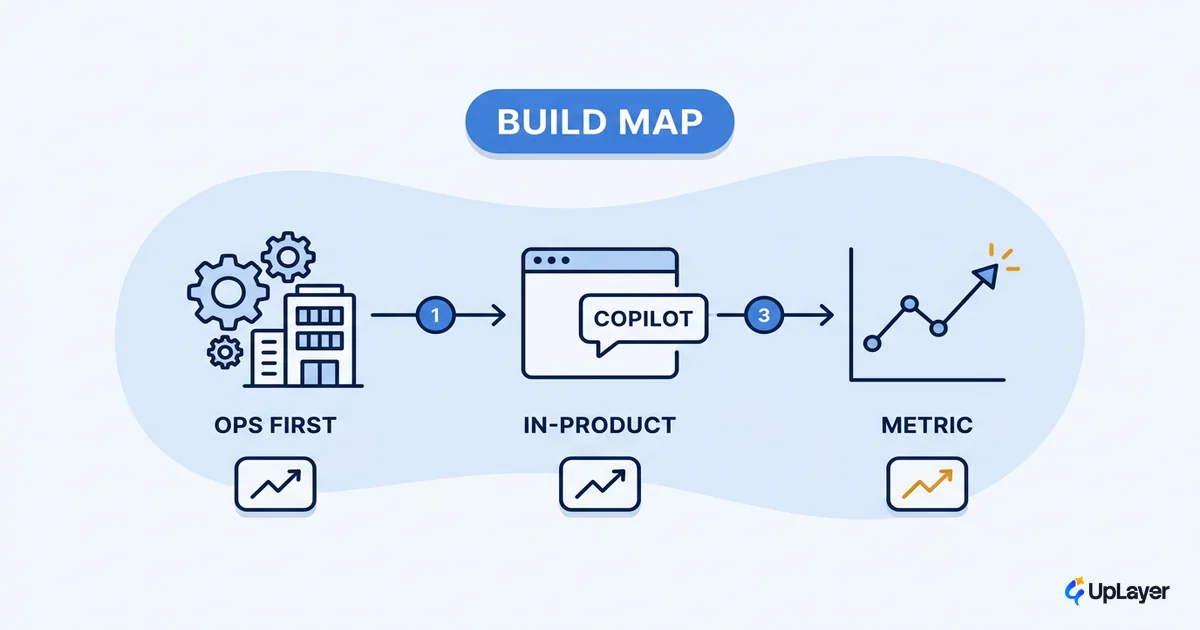
Here is the pattern we see most often. A team buys an automation platform, wires up a dozen flows across support, billing, and onboarding, and a quarter later nothing on the dashboard has moved. The tool worked. The sequence was wrong. AI workflow automation for SaaS fails this way far more than it fails on technical grounds, and the fix is rarely a different tool.
The honest version of this topic is a build map, not a tool list. You automate in an order that protects the metrics you already track, contains the blast radius while you learn, and proves the pipeline is reliable before it touches a customer. Most teams do the opposite. They start with the visible, customer-facing automation because it demos well, and they skip the boring internal work where the return actually lives. This guide gives you the sequence we use, and the filter for deciding what not to automate at all.
AI workflow automation for SaaS starts with the metric, not the workflow
Automate the workflow whose improvement shows up on a number you already track. That is the whole selection rule for AI workflow automation for SaaS, and it is the one most teams skip.
The evidence for skipping it is grim. In MIT's 2025 research, most generative AI pilots stall before they move a number, with only about 5% achieving rapid impact on the P&L. BCG's read of the wider market is similar: only a small share of companies are pulling real value out of AI, while roughly 60% report minimal gains despite real spend.
Only about 5% of AI pilot programs achieve rapid revenue acceleration; the vast majority deliver little to no measurable impact on the P&L. (MIT NANDA, The GenAI Divide: State of AI in Business 2025)
The mechanism is simple. Before you pick a platform or write a prompt, name the metric the automation is supposed to bend: activation, retention, support cost per ticket, conversion, or expansion. If you cannot draw a straight line from the workflow to one of those, the automation is theater, however good the demo looks. This is the same discipline behind the ROI of AI workflow automation: pick the number first, then the work. Supportive AI earns its place by moving a metric, not by existing.
How do SaaS teams use AI workflow automation
SaaS teams use it in two tiers, and the order between them is the entire argument of this piece. Tier one is internal operations, the work your team does to run the business. Tier two is in-product automation, the work your users see and feel.
Internal ops is where you start. The workflows are higher volume, the rules are clearer, and a mistake stays inside your four walls instead of reaching a paying customer. Here are common AI automation use cases mapped to the metric each one is meant to move.
| Tier | Workflow | What the automation does | Metric it moves |
|---|---|---|---|
| Internal ops | Support triage | Classify, route, and draft replies for inbound tickets | Cost per ticket, first-response time |
| Internal ops | Onboarding ops | Prep accounts, generate setup checklists, flag at-risk new accounts | Time-to-activation |
| Internal ops | Billing and finance ops | Reconcile invoices, surface anomalies, draft dunning messages | Recovered revenue, days sales outstanding |
| Internal ops | Data plumbing | Summarize logs, tag records, keep the CRM clean | Hours saved, data quality |
| In-product | In-app triage and summarization | Summarize a record or thread inside the product | Activation, feature adoption |
| In-product | Onboarding nudges | Guide a user to their first valuable action | Activation, day-7 retention |
| In-product | A copilot that drafts or acts | Draft work the user reviews and approves | Retention, expansion |
You will notice the internal-ops rows tend to attach to cost and time, while the in-product rows attach to activation and retention. That is not a coincidence. You can find more grounded patterns in our roundup of concrete AI automation use cases, but the sequencing logic matters more than any single example.
Which SaaS workflows are worth automating
Not all of them, and the ones that are share four traits: high volume, clear rules, low cost of a wrong answer, and a clean line of sight to a metric. Score a candidate workflow before you build it.
Automation fit score = (Volume x Rule clarity x Reversibility x Metric line-of-sight)

  Volume          1-5   how often the workflow runs
  Rule clarity    1-5   how deterministic the "right answer" is
  Reversibility   1-5   how cheaply a wrong output is caught and undone
  Metric line     1-5   how directly it moves a number you already track

Build the high scorers first. A low Reversibility score is a veto,
not a discount: keep a human in the loop or don't automate it yet.
The score also tells you where pilots die. Failed automation pilots rarely break on model quality. They break on the practical stuff: implementation cost, data privacy, and weak ROI are what actually kill automation pilots, cited far more often than hallucinations. A workflow that scores high on volume and metric line-of-sight but low on reversibility is exactly the kind that ships, embarrasses someone, and gets pulled. Reversibility is the trait most teams underweight. When you do reach the tool-selection question, how to choose AI workflow automation tools covers that part so this map can stay focused on sequence.
Sequence internal ops before in-product automation
Run internal operations automation to a proven, reliable state before you put any automation in front of a user. This is the core of the build map, and it is where supportive AI either earns trust or loses it.
Three reasons hold the order in place. First, the return is faster and better documented: the same MIT research found that the biggest returns showed up in back-office automation, even though more than half of gen AI budgets chase customer-facing tools. Second, the blast radius is contained. A misrouted internal ticket costs you minutes; a hallucinated answer inside your product costs you trust you spent years building. Third, internal ops is your rehearsal. The pipeline you harden on support triage is the same pipeline you later point at an in-app feature, now with guardrails you have actually tested.
WARNING
Shipping in-product automation before the internal version is proven is the fastest way to a feature that flops. If the pipeline cannot reliably triage your own tickets, it is not ready to face a customer. Prove reliability where the cost of a mistake is low, then move it up the stack.
This is the "layer on top" idea in practice. You build the supportive AI layer above your product once, harden it internally, and only then expose it where users can feel it. The goal throughout is the same: move a metric, not run a demo.
Where does automation fit in a SaaS product
In-product automation fits as a layer that removes friction from the moment a user is trying to get value, not as a standalone "AI section" bolted to the navigation. The best in-product workflows are invisible until they are useful.
A few patterns earn their place:
- Triage and summarization inside a record, so the user reads a two-line summary instead of a forty-message thread. Tie it to activation and feature adoption.
- Onboarding nudges that get a new user to their first valuable action, the moment most correlated with retention. Tie it to time-to-activation and day-7 retention.
- A copilot that drafts or acts, where the user reviews and approves the output. Tie it to retention and expansion, and keep a human in the loop on anything that writes to production data.
Each of these should map to a row in the table above before you build it. If you cannot name the metric, the feature is not ready for the roadmap, no matter how good it looks in a Figma frame.
What not to automate
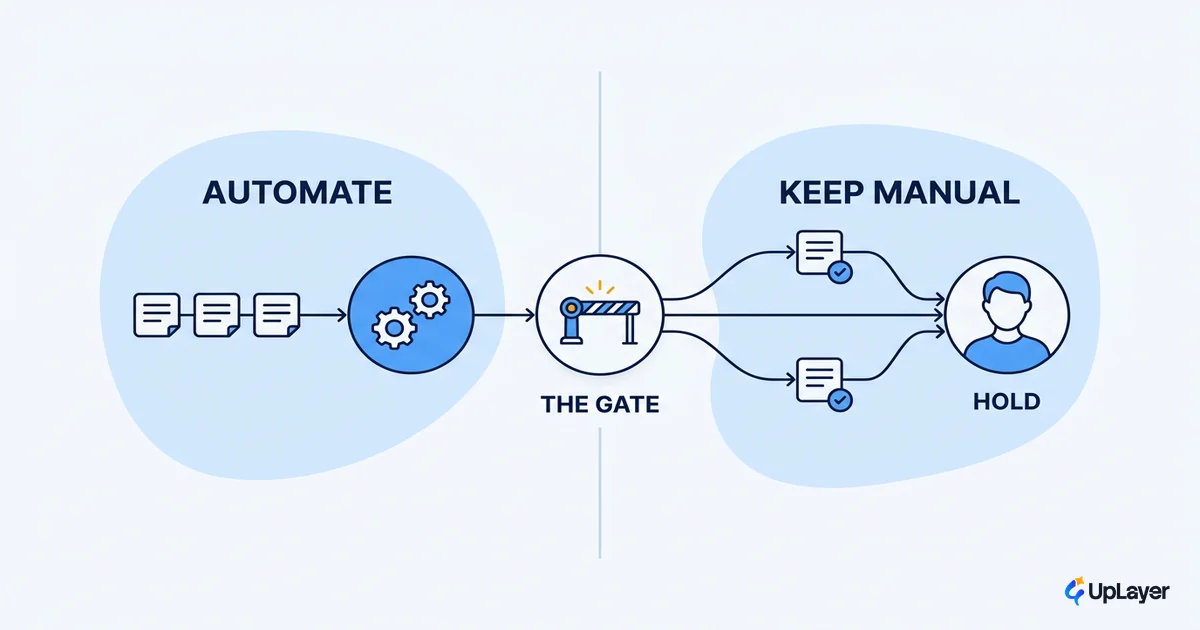
This is the filter the rest of the SERP skips, and it is the most valuable part of the map. Some workflows should stay manual, and saying so is how AI automation ROI stays positive instead of going underwater on rework.
| Automate now | Keep a human in the loop | Do not automate yet |
|---|---|---|
| High-volume support triage | Refunds and account credits | Anything irreversible with no audit trail |
| Internal summaries and tagging | Replies to angry or churn-risk accounts | Pricing or contract decisions |
| Onboarding checklists | Outbound that affects brand voice | Workflows you cannot measure |
| Log and data cleanup | First-time security or access changes | One-off work that runs twice a year |
The reason to be strict is that the failure mode is integration, not intelligence. As the practitioner read of the MIT data puts it, the failure is almost always integration, not the model: generic tools stall because they do not learn the specifics of your workflow. Automating a low-reversibility, hard-to-measure workflow does not give you leverage. It gives you a new thing to babysit.
NOTE
We prove this order with Concept Demos, not invented case studies. A demo is built to show the internal-ops-first pipeline working on a real workflow shape, with the projected metric movement framed as designed-to-move, never as an achieved result.
When you are unsure, default to manual and instrument the workflow first. You cannot automate your way to a metric you are not yet measuring, and our note on when not to automate with AI goes deeper on the workflows that look automatable but are not.
The teams that win with AI workflow automation for SaaS are not the ones with the most flows running. They are the ones who sequenced the work, proved reliability internally, and tied every automation to a number on a dashboard they already check. Start with the metric, automate internal ops until the pipeline is boringly reliable, then move the layer up into the product where users can feel it. Build the map before you build the automation, and most of the failure modes disappear.
TIP
Want the highest-ROI automation in your product mapped before you build it? How the AX Audit works.