How to choose AI workflow automation tools
A calm, metric-first way to choose AI workflow automation tools: match the tool to the job and the number you already track, not the longest feature list.
 Sohanur RahmanAI Automation7 min read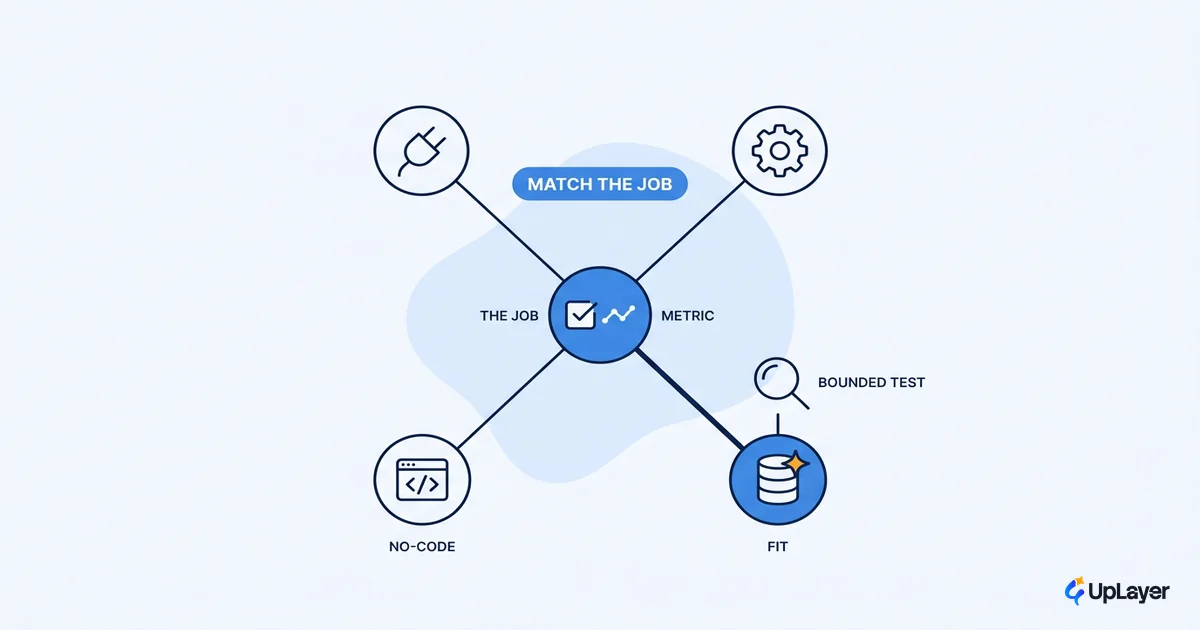
The shelf is crowded and every demo looks great. That is the trap. Picking an automation tool feels like a feature contest, so most teams compare connector counts and capabilities, pick the slickest demo, and wonder six months later why nothing moved. The tool was never the hard part. The decision was, and that is true whether you are buying a connector, a platform, or a full agentic suite.
Here is the more useful way to think about AI workflow automation tools. The right one shifts a number you already track, at a cost you can defend. Everything else is shopping. This post gives you a restrained way to choose: match the tool to the job and the metric, then run a bounded test before you sign anything. Throughout, the question that matters is whether the choice ties back to a metric you already track, because a tool that does not is a subscription, not an investment.
The shelf is crowded, the decision is simple
The right tool is the one that fits a specific job and pays back on a metric you can name today. Category matters less than fit. You will see four broad classes on the shelf, and they blur together in the marketing:
- No-code connectors (Zapier, Make, n8n) for moving data and triggering steps between apps.
- iPaaS platforms (Workato, Microsoft Power Automate) for governed, higher-volume integration work.
- RPA tools (UiPath, Automation Anywhere) for screen-driven, legacy-system tasks.
- AI-native agentic platforms for reasoning over messy, judgment-heavy work.
The trouble is not that these tools are bad. It is that they all demo well, and a demo is theater. The real risk shows up later. Gartner expects that most agentic projects get cancelled for unclear value, not broken software, with over 40% of agentic AI projects predicted to be canceled by the end of 2027 due to escalating costs, unclear business value, or inadequate risk controls. Notice what is not on that list: the software being broken. Projects die on the decision, not the product.
So the decision spine is short. Name the job. Name the metric the job touches. Then pick the simplest tool class that can move it.
Which AI workflow automation tools are worth it?
A tool is worth it when it fits the job and the job touches a metric you care about. That is the whole test. "Worth it" is not a property of the tool, it is a property of the match. The table below maps the common classes to the job they actually fit and the thing to watch, so you can shortlist by fit instead of by demo polish.
| Tool class | Best-fit job | Watch out for |
|---|---|---|
| No-code connector | Routing, alerts, simple multi-app handoffs | Hidden per-task pricing at volume; brittle when steps grow |
| iPaaS platform | Governed integration, higher volume, audit needs | Heavier setup; you pay for capability you may not use yet |
| RPA | Legacy screens with no API | Fragile to UI changes; high maintenance tax |
| Agentic / AI-native | Judgment work, unstructured inputs, drafting | Reliability and cost variance; "agent washing" claims |
Two honest answers tend to get skipped in the buyer guides. The first is that an AI workflow automation platform you already pay for (a Power Automate seat, a connector tier) often covers the job before you buy anything new. The second is that the cheapest correct answer is no tool at all when the process is rare, low-volume, or about to change. If you do need a dedicated platform, the deeper trade-offs live in picking a workflow automation platform. For most small teams, the right AI workflow automation software is the boring one that fits the job and disappears into the work.
How do you evaluate AI automation tools past the demo?
You evaluate AI automation tools by running a bounded pilot against a baseline, not by watching a sales walkthrough. The demo shows the happy path on clean data. Your work is neither happy nor clean. The gap between those two is where projects stall. Gartner has tracked this gap for years and once predicted that nearly a third of generative AI projects would be abandoned after the proof of concept, often because the value never showed up once real data and real risk arrived.
So evaluate on your own ground. Pick one workflow, measure it for two weeks as it runs today, then run the tool against that same baseline. Score it on the things that decide whether it survives contact with production.
SCORECARD (per candidate tool, one workflow)
1. Metric delta      did the tracked number move vs baseline?   [hard pass/fail]
2. Reliability       error rate on real (messy) inputs?         [< your threshold]
3. Effort to run     human time per 100 runs after setup?       [lower is better]
4. Exit cost         hours to rip it out and switch?            [lower is better]
total = ship only if (1) passes AND (2) clears threshold
If line one fails, nothing else matters. A tool that does not move the metric is not cheaper because it is easy to set up. It is just a faster way to spend money. Run two or three candidates through the same scorecard on the same workflow, and the winner usually stops being a matter of opinion. This is the same discipline behind measuring any AI feature, and it is worth borrowing in full.
What should you check before buying automation tools?
Before you buy automation tools, check the four things a demo will not show you: reliability guardrails, data handling, the human-in-the-loop design, and the cost of leaving. These are the parts that decide whether the tool is trustworthy at scale, and they are exactly the parts vendors gloss over.
Reliability guardrails come first. Ask what happens when the model is wrong, not whether it is usually right. A workflow with no fallback, no confidence threshold, and no human review on the cases that matter is a liability dressed as a feature. The teams that get burned are the ones who measured accuracy on the happy path and never priced in the cost of the failures. Then check data: where it goes, who can see it, and whether you can run sensitive steps without shipping records to a third party. For a regulated workflow that one answer can rule out half the shortlist on its own.
WARNING
Watch for "agent washing." Gartner uses the term for vendors rebranding existing assistants, RPA, and chatbots as agents without real agentic capability. If the pitch is all autonomy and no guardrails, you are buying a demo, not a system. Ask to see the failure modes, not the highlight reel.
Last, check the exit cost before you are locked in. The cheapest tool to buy can be the most expensive to leave. A clear path out is part of a defensible choice, not an afterthought.
Tie the tool choice to AI automation ROI
AI automation ROI is a number, not a story. The whole decision collapses back to this: one tool, one job, one metric, measured before and after. If you cannot state the metric, you are not ready to buy, and no feature list will fix that. The teams that struggle are usually the ones that started with the tool and went looking for a problem to point it at.
Gartner found that for the majority of infrastructure and operations leaders who reported at least one AI failure, the initiatives failed because they expected too much, too fast. Scope beats ambition.
The fix is to anchor every candidate to a single tracked number and a projected delta with the assumptions written down. That is how you measure the ROI of an AI feature, and the same method holds for a bought tool. In a Concept Demo we run the tool on your real workflow, project the metric movement against your baseline, and show the math before anyone commits budget. Projected, with assumptions visible. No invented wins.
Choosing well comes down to restraint. The best AI workflow automation tools are the ones you can tie to a number, prove on a small pilot, and defend on cost, with reliability guardrails that hold when the model is wrong. Start from the metric, treat the tool as the last decision, and most of the crowded shelf simply falls away.
TIP
Want the metric named and the math projected before you buy anything? How the AX Audit works.