Designing AI loading and feedback states
AI loading states design that makes slow model responses feel intentional, not broken. Patterns for streaming, progress, and feedback that protect adoption.
 Shahriar P. ShuvoAI Product & UX Design7 min read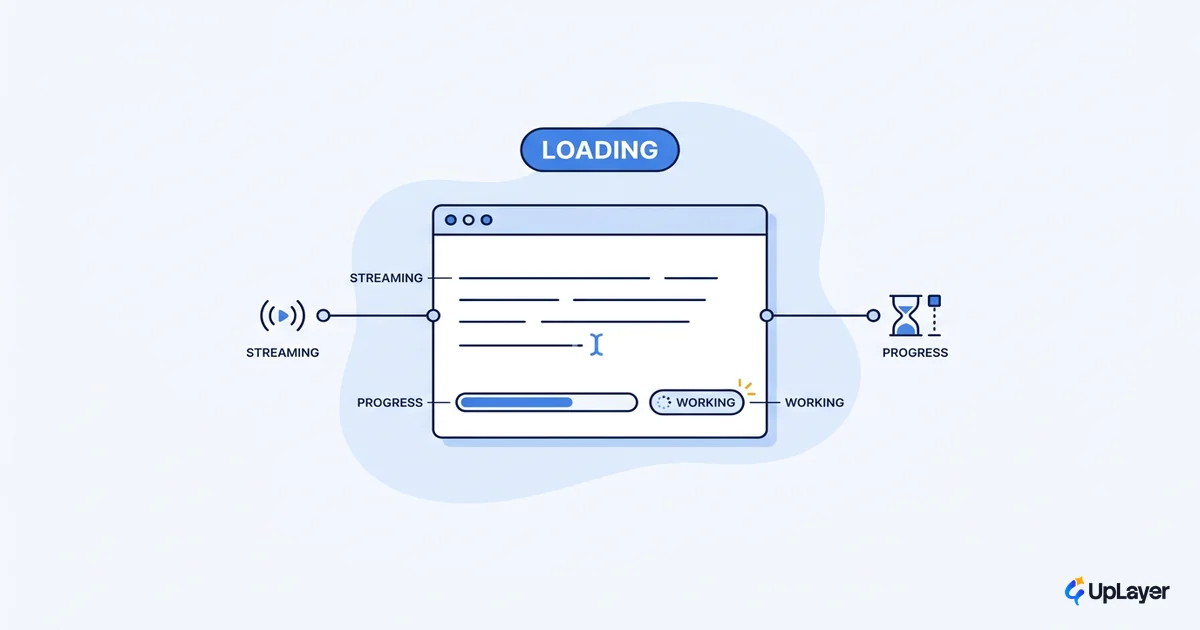
Your AI feature works. It returns a good answer in eight seconds. The problem is that for those eight seconds the user stares at a spinner that never changes, decides the thing is stuck, and closes the tab. Good AI loading states design is what separates a feature that feels slow but trustworthy from one that feels broken. The latency is rarely the real issue. The silence during the latency is.
Most teams treat loading and feedback as decoration they bolt on at the end. For a model-backed feature that is a mistake, because a slow response with no feedback reads as a failure, and a failure that users blame on your product is a feature they stop opening. This is the same lever behind the AI UX patterns that drive feature adoption: the interface around the model decides whether people keep using it. Here is how to design loading and feedback so a slow model response feels intentional instead of dead.
Why AI loading states design is different from normal loading
A model call has no fixed duration. That single fact breaks most of the loading advice you have read.
Classic web performance assumes deterministic timing. You know roughly how long a page or query takes, so you can budget for it. Nielsen Norman Group's long-standing research on response times sets three perception limits that still hold: 0.1 second feels instantaneous, 1 second keeps the user's flow of thought uninterrupted, and 10 seconds is the limit for keeping the user's attention on the task. Google's RAIL model extends this into engineering budgets, noting that users expect different things from each phase of an interaction and that goals should be set per context. Both assume you can predict the wait.
A large language model call routinely blows past the 10-second limit, and you often cannot predict by how much. Token generation is variable, retries happen, and a long prompt can double the time of a short one. So the deterministic budget is the wrong frame. The right frame is: you cannot promise speed, so you must instead make the wait legible. That shift is the whole job.
Ten seconds is "about the limit for keeping the user's attention focused on the dialogue." Past that, people start switching to other tasks. Most AI calls live on the wrong side of that line.
What feedback should an AI feature give while it works
In-progress feedback has three jobs: confirm the system received the request, signal that work is happening, and set an expectation for how long it will take. A bare spinner does only the second, weakly, which is why it reads as "stuck."
Map the feedback to the perception thresholds:
- Under 0.1 second: acknowledge the action. A button state change or a cursor is enough. No spinner.
- Around 1 second: show that the system is working. A spinner or skeleton is fine here, because the user has not started to doubt yet.
- Past a few seconds: narrate. Replace the silent spinner with status that changes ("Reading your document," "Drafting a summary"). Movement that reflects real stages is what keeps trust alive.
- Past 10 seconds: estimate or stream. Give a sense of how much is left, or start showing partial output so the wait becomes productive.
The failure pattern is using the same one-second treatment for a fifteen-second wait. The user has no signal that anything is still happening, so they assume nothing is.
How do you design loading states for slow AI
Design loading states for slow AI by routing each request to a pattern based on its latency tier, not by picking one spinner for everything. Decide the tier, then decide the treatment. This is the core of designing for AI uncertainty: you cannot remove the variability, so you design the interface to absorb it.
Here is the decision in code form. Treat it as the routing logic behind your loading layer, not literal syntax:
function loadingPattern(expectedLatency, canStream):
  if expectedLatency < 1s:        return "instant feedback (no spinner)"
  if expectedLatency in 1..4s:    return "spinner or skeleton"
  if canStream:                   return "stream tokens as they arrive"
  if expectedLatency in 4..10s:   return "staged status messages"
  if expectedLatency >= 10s:      return "progress estimate + cancel"
  else (unknown):                 return "staged status + cancel + timeout"
The most important branch is canStream. If your model returns tokens incrementally, streaming them turns a ten-second wait into a response that starts in one second and finishes while the user is already reading. Streaming is the single highest-leverage move in slow-AI loading because it collapses perceived latency without making the model faster.
When you cannot stream, the fallback is staged status that reflects real backend steps. Fake progress that does not map to anything erodes trust the moment the bar stalls at 90 percent.
AI UX patterns for progress and streaming
A handful of AI UX patterns cover almost every loading case. The choice is not aesthetic. Each pattern protects a different metric, and using the wrong one for the latency you actually have is what makes a feature feel broken.
| Pattern | Use when | What it protects |
|---|---|---|
| Instant state change | Wait < 1s | Perceived directness; no flicker |
| Spinner / skeleton | Wait 1–4s, no partial output | Confirms work started |
| Streaming tokens | Output arrives incrementally | Time-to-first-token; abandonment |
| Staged status messages | 4–10s, cannot stream | Trust during the wait |
| Progress estimate | Wait > 10s, known steps | Willingness to wait; cancel rate |
| Optimistic UI | Action likely to succeed | Flow; reversibility on failure |
The thresholds come from the same evidence base. Nielsen Norman Group recommends percent-done indicators for actions of 10 seconds or more, because a percent-done indicator decreases uncertainty about the wait and can reduce the time it feels like. Their guidance on skeleton screens is just as specific: spinners and skeletons suit waits under 10 seconds, while anything above 10 seconds requires an explicit estimation of duration. A skeleton for a fifteen-second model call is the wrong tool, and users feel it.
Streaming is the AI-native addition to that list. It did not exist as a default web pattern, but for generative output it should be your first choice whenever the model supports it.
AI interface design that survives a slow or failed response
Good AI interface design assumes the slow path and the failed path will happen, and makes both survivable. The dead spinner is the anti-pattern that costs you the most, because it gives the user no way to tell "working" from "crashed."
WARNING
A spinner that never changes is worse than a longer wait with movement. If your AI call can exceed five seconds, a static spinner is a silent failure waiting to happen. Replace it with streaming, staged status, or a progress estimate before you ship.
Three rules keep the slow path honest, and they sit at the center of solid AI UX best practices:
- Always offer a way out. A cancel control on any wait over a few seconds turns a trapped user into a user in control.
- Set a timeout with a real fallback. If the model does not return, say so and offer a retry or a non-AI path. Never spin forever.
- Degrade gracefully. A partial answer, a cached result, or an honest "this is taking longer than usual" beats a frozen screen every time.
This is also where the supportive-AI approach pays off. When the AI is a layer above your core product rather than the core itself, a slow or failed model response degrades to the product still working. The loading state covers the gap instead of exposing it. That distinction is the heart of trustworthy AI interface design: the wait is a moment you designed, not an accident the user discovers.
Tie loading and feedback to a metric you already track
Loading and feedback are not polish. They are an adoption lever, and you can measure them with numbers you already have. Watch abandonment during AI actions, task completion rate for AI features, and repeat usage in the week after launch. If people start an AI action and leave before it returns, your loading state is failing regardless of how fast the model is.
NOTE
Instrument time-to-first-feedback and abandonment-during-wait alongside raw model latency. The model team optimizes seconds; the design decides whether those seconds feel intentional. Both move the same adoption number.
Pick one AI feature, measure abandonment during its wait today, change only the loading treatment, and measure again. Streaming or staged status against a frozen spinner is one of the cheapest wins in product. The point of strong AI loading states design is not to hide that the model is slow. It is to make the wait readable, so users trust the feature enough to come back, which is the only metric that finally proves the work was worth shipping.
TIP
Want to know which of your AI features actually move a metric, and which slow path is quietly costing you adoption? How the AX Audit works.