Choosing an AI product design tool that fits
A buyer's frame for picking an AI product design tool: judge it by the work it removes and the metric it moves, not the feature list it ships with.
 Anamoul RoufAI Product & UX Design7 min read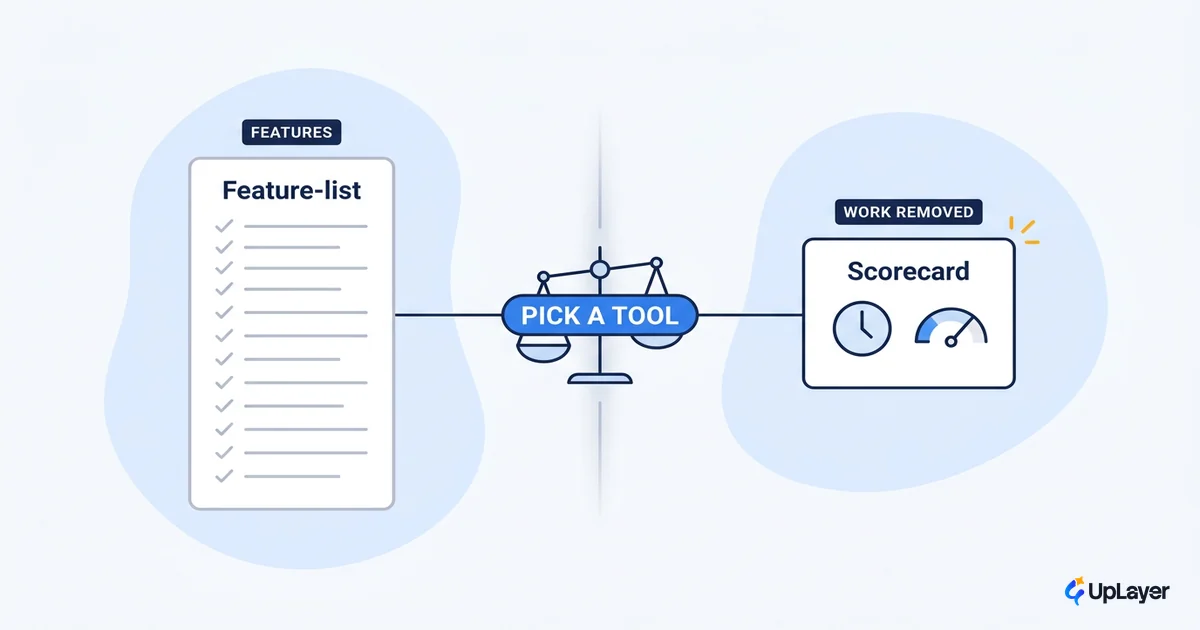
Every AI product design tool demos the same way. A blank canvas, a prompt, and thirty seconds later a screen that looks finished. The feature list runs three pages. The pricing page has four tiers. And nowhere in that experience is the one question you actually came to answer: does this remove work you are already paying for? We think most teams pick the wrong way. They compare feature lists, fall for the demo, and end up with a subscription that produces output nobody ships. A better frame is subtraction. Judge a tool by the work it takes off your team's plate, then check whether that shows up in a metric you already track. That is the same lens we apply to AI UX patterns that actually drive adoption: start from the job, not the hype.
What an AI product design tool actually changes in the work
Strip away the marketing and these tools touch three jobs: drafting from nothing, mechanical cleanup, and research synthesis. Drafting is the obvious one. Mechanical cleanup is the quiet one that adds up: naming layers, filling placeholder content, generating variants. Research synthesis is the newest: turning interview notes and session data into themes.
The deeper shift is in how you talk to the tool. Nielsen Norman Group calls this a shift toward intent-based outcome specification: you state the outcome you want and the system produces a candidate, instead of issuing one command at a time. That is genuinely new. It is also why feature lists mislead you. The tool is not selling you a button. It is selling you a way to skip the first hour of a task.
Vendors know this, even when their marketing buries it. Figma positions its own AI as a way to reach a workable first draft, and frames small features like auto-renaming layers as removing tedious work rather than adding capability. That is the honest version of the pitch. The work removed is the product. Everything else is packaging.
How to judge a tool by work removed, not features
Here is the frame we hand buyers. For each job the tool claims to do, write down the hours it removes per week, the metric that job touches, and your confidence that the removal is real and not theoretical. Then score it.
| Job the tool does | Hours/week removed (est.) | Metric it touches | Confidence |
|---|---|---|---|
| First-draft screen generation | 3 to 5 | Design cycle time | Medium |
| Layer naming, content fill, variants | 2 to 4 | Cycle time, dev handoff | High |
| Research synthesis from notes | 1 to 3 | Time-to-insight | Low to medium |
| "Polished final UI" from a prompt | 0 to 1 | None you ship on | Low |
The pattern shows up fast. The mechanical jobs score high because the removal is real and verifiable. The "finished design from a prompt" job scores low because you still rewrite most of it. A feature list flattens all of these into one impressive paragraph. The scoring rubric does not.
Turn it into a single number so two tools can be compared on the same axis:
work_removed_score = Σ (hours_removed_per_week × confidence)
                     across every job the tool actually does for YOUR team

confidence: 1.0 = verified in a trial, 0.5 = plausible, 0.2 = demo-only

Rule: if a job's confidence is demo-only, score it 0 until a trial proves it.
Pick the tool with the highest score against the metric you most need to move.
The rule at the bottom is the whole point. Demo-only capability scores zero. If you cannot watch the tool remove the work during a trial, it does not count toward the decision.
NOTE
The score is not a precise forecast. It is a forcing function. It makes you name the hours and the metric out loud, which is exactly the step the feature list lets you skip.
Where AI tools for UX design help, and where they stall
The speed is real. In a controlled GitHub study, developers using an AI assistant completed the same task 55% faster than those who did not. Design tooling sits in the same lane: AI tools for UX design genuinely compress drafting and cleanup. That part of the pitch holds.
Where they stall is judgment. The tool gives you a starting point, not a finished decision. Edge cases, accessibility, trust signals, the specific reason your activation curve is flat, none of that comes out of a prompt. And teams know it. In the 2024 Stack Overflow survey, 76% of developers already use or plan to use AI tools, yet only about 43% trust the accuracy of the output. Adoption and trust are not the same number, and the gap is where the unshipped work lives.
WARNING
A high adoption rate inside a tool is not proof of value. People open AI features constantly and ship almost none of what comes out. Measure shipped work, not generated work. If you need a fuller map of AI tools for UX design across the workflow, start there, but bring the subtraction test with you.
Generative AI product design tools: first draft, not final answer
Generative AI product design is the most oversold corner of the category. The promise is "describe it and ship it." The reality is "describe it and start from it." Used as a starting line, generation is a real time saver. Used as a finish line, it produces screens that look plausible and fail the moment a real user hits an empty state or an error.
Nielsen Norman Group points toward generative UIs that adapt on the fly to each user, and is candid that the discipline does not yet have settled answers for how those interfaces should behave. That honesty matters for a buyer. The generation is impressive. The behavior of the thing you generate is still your problem, especially designing for the moments AI gets it wrong. A generative tool earns its place by getting you to a credible first draft in minutes. It does not earn the right to skip the craft that follows.
Does an ai ux designer get replaced, or re-pointed?
The fear behind the search is that the tool replaces the role. It does not. An ai ux designer is not a person who got automated away. It is the same designer, re-pointed: fewer hours on mechanical drafting, more on the judgment the tool cannot make. The hours a good AI product design tool removes are the low-leverage ones. What stays is taste, edge-case thinking, and the decision about which problem is worth solving at all. That redistribution is the actual value. A tool that removes the boring 40% of the week and frees a senior designer to fix the activation flow is worth more than one with twice the features and no clear hour saved.
Which AI product design tool is worth it for your team?
The decision rule is short: pick the tool that removes the most hours from the job that touches your weakest metric. The answer changes by team.
- Slow design cycles. Your bottleneck is drafting and handoff. Favor a tool with strong first-draft generation and cleanup, scored against design cycle time.
- Flat activation. Your bottleneck is the first-run experience, not drawing speed. A generation tool will not fix it. You need research synthesis plus craft, scored against activation.
- Lean team, no design ops. Your bottleneck is mechanical overhead. The high-confidence cleanup jobs (naming, variants, content fill) pay for themselves fastest.
In every case, tie the tool back to AI product design that moves a metric. A tool that does not connect to a number you already track is a cost, not an investment. We would rather a team buy nothing this quarter than buy a tool that demos well and moves nothing. Saying no to a purchase is a valid outcome of this exercise (in a Concept Demo or projected-ROI review, that is often the recommendation).
How do you pick an ai product design tool without getting sold?
Run the subtraction test before the trial ends. Three questions, in order:
- What recurring hours does this remove? Name them. If you cannot, the tool is solving a problem you do not have.
- Which metric do those hours touch? Cycle time, activation, support volume, dev handoff. One metric you already report.
- Did you watch it happen in the trial? Verified removal scores. Demo-only scores zero.
If a tool clears all three, it is worth it. If it clears the demo and none of the three, the feature list was doing the selling. That is how you decide which option is worth it without the pricing page deciding for you.
The category will keep shipping features, and the demos will keep looking like magic. Your job as a buyer does not change with the release notes: find the AI product design tool that removes real hours from the job touching your weakest metric, and skip the rest. Judge by the work removed, prove it in a trial, and let the number decide.
TIP
Not sure which AI features or tools will actually move your numbers? How the AX Audit works.