AI tools for UX design: where they help
A grounded guide to AI tools for UX design: the tasks they genuinely shorten, the ones they add rework to, and how to decide which earns its place.
 Shahriar P. ShuvoAI Product & UX Design7 min read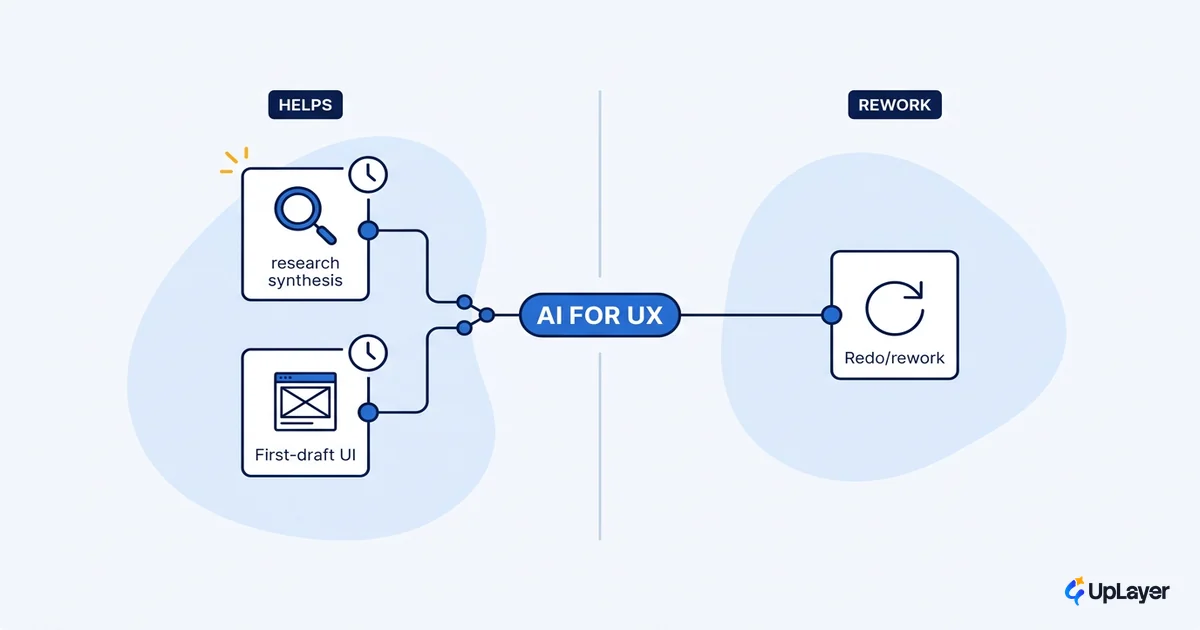
Almost every design team is reaching for AI tools, and almost every team has been burned by output that looked right and was not. Both things are true at once. The 2025 Stack Overflow Developer Survey found that 84% of respondents are using or planning to use AI tools, yet the single biggest frustration, named by 66% of them, is "AI solutions that are almost right, but not quite." That gap is the whole story with AI tools for UX design. The tools are real and some of them save real hours. The question worth asking is not which tool is best. It is which task you are handing to the tool, because that decides whether you get time back or a cleanup job.
This is a workflow map, not a leaderboard. The useful split is simple: AI helps most where the task is generative and disposable, and least where the task is judgment-heavy. A first-draft wireframe you will redraw anyway is a great thing to generate. A pricing-page interaction that decides whether a trial converts is not. The same rule runs underneath all of AI UX design: treat the model as a supportive layer over your judgment, never a replacement for it.
Where AI tools for UX design actually help
The fastest way to read the landscape is by task, not by brand. Designers in their own survey data have been folding these tools into research, ideation, and content work for a while now, and a clear pattern shows up: AI earns its keep on the disposable first pass and loses it on the load-bearing decision.
| UX task | AI shortens it? | Why |
|---|---|---|
| Synthesizing research notes into themes | Yes | Pattern-finding over text is what these models do well |
| First-draft wireframes and layout options | Yes | You were going to throw the first three away anyway |
| Microcopy, empty states, error strings | Mostly | Fast drafts, but tone and edge cases still need a human pass |
| Alt text and accessibility first passes | Mostly | Good starting point, requires review against real context |
| Final interaction and flow decisions | No | Judgment about your specific user, not a generative task |
| Visual-system and brand consistency calls | No | Taste and constraint, where "almost right" reads as "wrong" |
The line runs straight through the table. When the output is a draft you will edit, AI is a genuine accelerant. When the output is a decision the user feels directly, the tool produces something plausible that still has to be checked, and the checking can cost more than the drafting saved.
What are the best AI tools for UX design, by task
There is no single best tool, and any list that claims one is selling something. The honest answer to what are the best AI tools for UX design is: the best tool is the one that shortens a task you actually do, measured against the rework it creates. Grouped by job-to-be-done, the categories look like this:
- Research synthesis. Tools that cluster interview notes and open-ended survey responses into themes. Strong fit, because the output is a starting hypothesis you will refine, not a verdict.
- First-draft UI and wireframing. A generative ai product design tool that turns a prompt or a sketch into layout options. Useful for breadth early, when you want ten directions fast and expect to keep none of them verbatim.
- Copy and content. Microcopy, labels, empty and error states. Quick drafts, then a human edit for voice and the cases the model never saw.
- Design QA and handoff. Checking contrast, flagging missing states, drafting specs. Supportive work that frees attention for the decisions only a designer should make.
Notice what is missing from that list: nobody is shipping the final call to a model. The role of an AI product design tool is to clear the low-judgment work off your desk so you spend your hours on the parts that move a number. An ai ux designer assistant is a layer, not a seat at the table.
Do AI tools actually speed up UX work
Yes, on the parts that are generative and disposable. No, on the parts that need judgment. Both halves matter, and the roundups only ever quote the first.
On the upside, the speed is real. GitHub's research reported up to a 55% productivity increase for developers using an AI coding assistant, and the same shape holds for design tasks that are mostly first-draft generation. Spinning up six layout variants or a dozen microcopy options in minutes is a true time saving.
The downside is the rework tax, and it is easy to miss because it hides downstream. The "almost right, but not quite" frustration that 66% of developers reported is not a coding problem. It is what happens whenever a model produces output a human then has to verify and correct. The real measure of speed is not how fast the draft appears. It is the draft time minus the review-and-fix time.
net_time_saved = manual_time - (ai_draft_time + review_and_fix_time)

If net_time_saved <= 0, the tool is theater on that task.
Run this per task, not per tool. The same tool can win on
research synthesis and lose on final visual QA.
Run that subtraction on a real task before you adopt anything. A tool that saves an hour of drafting but adds ninety minutes of correction is a slower workflow wearing a faster costume.
The rework tax that the roundups skip
Most "best AI tools" lists stop at the draft and never count the cleanup. That is the expensive omission. AI ux design output that is 80% right is not 80% done, because the missing 20% is usually the hard 20%: the edge case, the accessibility gap, the interaction that breaks under a real user's data.
WARNING
Output that is "almost right" is the most expensive kind, because someone has to find what is wrong before they can fix it. An 80%-right draft on a load-bearing screen can cost more to verify and correct than building it from scratch. Count the rework before you count the win.
This is also why the question of whether AI replaces UX designers keeps answering itself in the negative. The tools are good at producing volume. They are not good at knowing which of the volume is correct for your specific user. That judgment is the job, and it is the part the tools cannot take. Positive sentiment toward AI tools actually slipped from over 70% to 60% in 2025 as more people hit exactly this wall. Adoption went up; enthusiasm came back down to earth. That is a healthy correction, not a reason to stay away.
How to decide which AI tool earns its place
Adopt against a metric, the same way you would judge any feature. Gartner predicts that at least 30% of generative AI projects will be abandoned after proof of concept, and the ones that survive are the ones with a number attached. The same discipline applies to a tool inside your own workflow. Pick a metric you already track, such as research-to-insight time, time-to-first-prototype, or design-QA load, then run one tool against one task and watch the metric.
Three steps keep it honest:
- Name the task and the metric. "Cut research synthesis time" beats "use more AI." If you cannot name the metric, you are not ready to adopt, you are window shopping.
- Pilot one tool on one task. Measure net time saved with the subtraction above, including review and correction. One task, real work, two weeks.
- Keep or kill. If the metric moved, keep it and expand. If it did not, drop it without ceremony. A tool that does not move a number is a subscription, not an advantage.
The same way you would tie an AI feature to a metric you already track before building it, tie an AI tool to a metric before adopting it. The decision is identical. Define the number first, then let the tool prove itself against it.
The teams that get value from AI tools for UX design are not the ones with the longest tool stack. They are the ones who matched each tool to a task it genuinely shortens and dropped the rest. Start with the one task that is most generative and most disposable in your week, pilot a single tool there, and let the metric decide whether it stays. Generative ai product design will keep improving, and the workflow map will keep shifting, but the rule underneath it holds: adopt the tool that earns its place, and only that one.
TIP
Not sure which AI tools or features would actually move a metric in your product? How the AX Audit works. and find out before you spend a single sprint on it.