Designing AI features that earn their place
Designing AI features starts with a build/no-build test: the supportive-AI rule for the job, the metric, and the trust signals that drive real adoption.
 Shahriar P. ShuvoAI Product & UX Design7 min read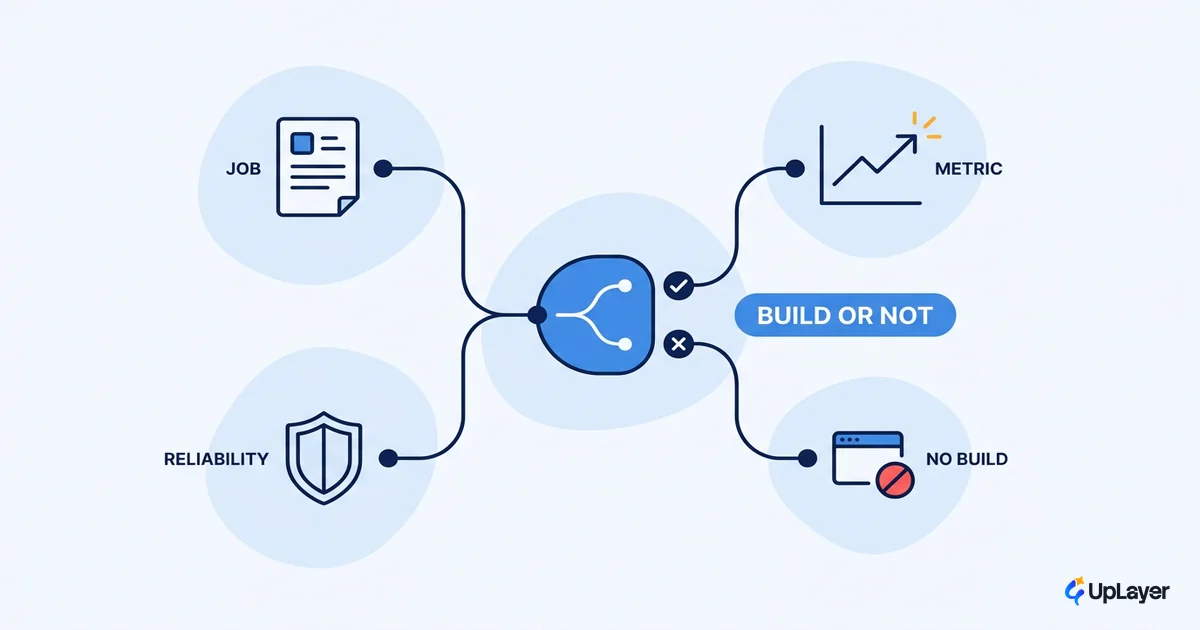
The hardest part of designing AI features is not the model. It is deciding which features deserve to exist, and then designing them so users trust them enough to keep using them. Most teams skip the first decision. They start from "we should add AI here" and design backward from the technology, which produces a feature that demos well and earns no place in the user's day.
The pressure is real and it is documented. In a 2025 survey of working designers, more than half said their stakeholders want to add AI without a clear use case. That single habit is where most AI features go wrong, long before a wireframe exists. The frame that fixes it is supportive AI: a feature that helps with a job the user already has, sits above the product as a layer, and proves it moved a metric you track. If a feature cannot pass that test, the strongest design decision is to not build it. Our cornerstone on the interaction craft, AI UX patterns that drive feature adoption, goes deep on the patterns; this piece is about the decision that comes first.
This is the test every AI feature should pass before it ships, and the design moves that turn a working feature into an adopted one.
How do you decide an AI feature is worth shipping?
You decide an AI feature is worth shipping by naming the job it does and the metric it moves before you design a screen. That is the supportive-AI test, and it has three questions. If the answer to any one is no, the feature does not earn its place.
| Test question | Pass looks like | Fail looks like |
|---|---|---|
| Does it serve a job the user already has? | "Summarize this thread so I can reply faster" | "Chat with our product" |
| Will it move a metric we track? | Activation, retention, expansion, cost | "Engagement," undefined |
| Can we ship it reliably enough to trust? | Recoverable errors, guardrails in place | High-stakes, no human check |
The first question kills most ideas, and that is the point. An AI feature that does not attach to an existing user job has no pull. The user has to invent a reason to use it, and they will not. Good ai feature design starts from a job the user is already doing slowly or badly, then asks whether AI does it better. The full method for designing an AI feature people actually use works the same way, anchoring every later choice to that existing job. The upstream version of this call, ranking ideas before you design them, lives in how to decide which AI features to build.
The second question is the one finance cares about. A feature aimed at "engagement" with no named metric is theater. A feature aimed at activation, with the activation rate instrumented before launch, is a bet you can read. Skip this step and you join the projects that stall: Gartner expected at least 30% of generative AI projects to be abandoned after proof of concept by the end of 2025, often for unclear business value rather than weak technology. Designing AI features treats the metric as an input, not a post-launch hope.
The third question is about reliability. If the feature acts where a wrong answer is expensive and hard to reverse, it needs a human in the loop before it ships, not after the first incident. Reliability is a design decision made early, not a patch applied late.
What makes an AI feature earn its place
An AI feature earns its place when users trust it on first contact and reach for it again. Trust is the gate, and it is the gate that is closing. The Nielsen Norman Group named trust the major design problem for AI in 2026: capability is shipping faster than users can learn to believe in it, and as that gap widens the competitive moat shifts from model performance to the experience around it. You can ship more AI and earn less reliance, which is the worst of both outcomes.
The good news is that trust responds to design. These are the ai ux best practices that separate a feature users return to from one they try once:
- Show intent before action. For anything consequential, preview what the feature will do and let the user proceed, edit, or stop. The intent preview is the bedrock of trust for any action-taking AI.
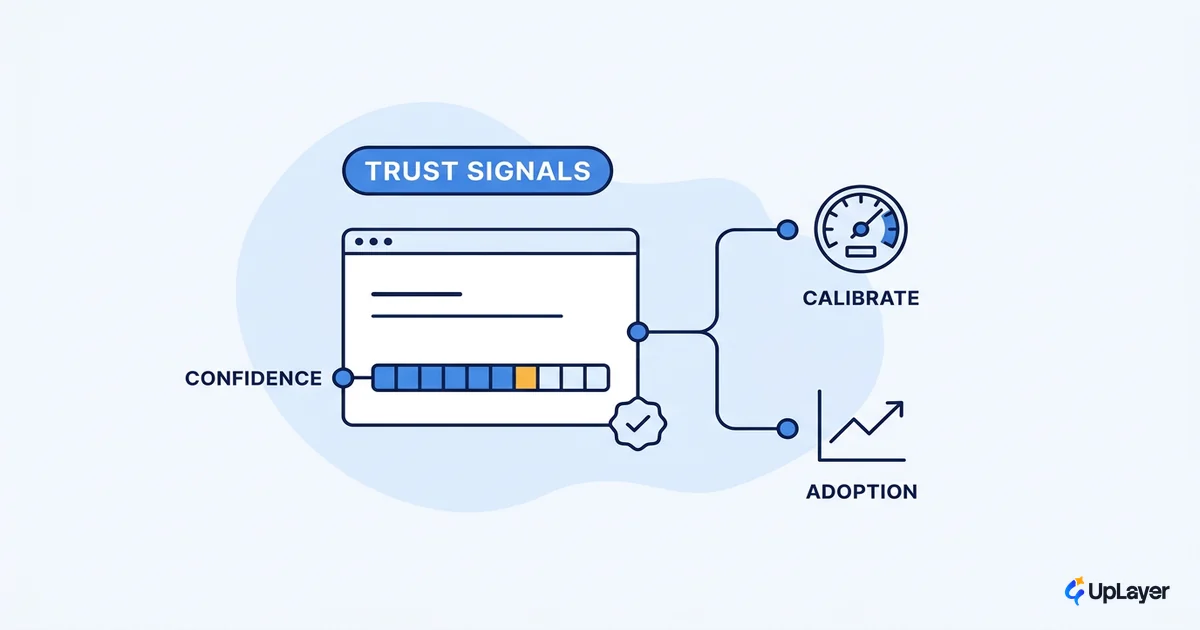
- Explain the reasoning. A pre-registered experiment found that an AI assistant that shows its reasoning earns more trust and reliance than one that returns a black-box answer. The same study flags a trade-off worth designing around: too much explanation can crowd out the user's own judgment.
- Help users calibrate trust. Google's People + AI guidance is direct about how to calibrate user trust: name your data sources, tie explanations to user actions, and prompt the user to check the output in low-confidence, high-stakes moments.
- Make every action reversible. An undo window turns a wrong answer from a reason to quit into a minor correction.
- Set honest expectations in onboarding. Tell users what the feature can and cannot do. Overselling burns the trust you need for ai feature adoption.
These signals are not decoration added at the end. They are the load-bearing parts of the design. The uncertainty-handling craft behind them is its own discipline, covered in designing for AI uncertainty without losing trust.
Design the failure case first
The fastest way to lose a user on an AI feature is a wrong answer with no graceful recovery. So design the failure case before the success case. A feature that handles being wrong well will outlast one that is right more often but collapses when it slips.
In practice, failure-first design means three rules baked into the brief, not bolted on after launch:
SUPPORTIVE-AI FAILURE BRIEF
1. Degrade gracefully
   - low confidence -> hedge or hand off, never assert a wrong answer
2. Always recoverable
   - undo / edit / override available on every AI action, no dead ends
3. Human in the loop where it counts
   - irreversible or high-cost action -> require human confirmation before commit
PASS = the feature is safe to be wrong. FAIL = do not ship it yet.
This is supportive AI as a stance, not a slogan. The AI assists; the human keeps control where control matters. It is also where reliability becomes an adoption lever instead of a back-end concern. A feature users trust to fail safely is a feature they will use for real work. One they cannot trust to fail safely gets used once, in a sandbox, and never again. The interface side of this, the confidence cues and status signals that make a feature feel safe, is covered in designing AI confidence and trust signals.
WARNING
If your AI feature has no recovery path, you are not shipping a feature, you are shipping a liability. A single confident wrong answer with no undo can end a user's trust permanently. Design the undo, the hedge, and the human checkpoint before you design the happy path.
Designing AI features ends with a number you can defend
Designing AI features ends where the metric begins. A feature is not done when it looks right; it is done when it moves the number it was aimed at. That means instrumenting the metric before launch, planning the measurement window, and reading adoption as a curve over weeks rather than a launch-day spike.
One feature, one metric, a defensible delta. If the design is good and the number still does not move, you learned something cheap and early. If it does move, you have the only justification that survives a finance review.
The teams that ship AI features worth keeping are not the ones with the best models. They are the ones who designed for a job, a metric, and trust, in that order, and refused to ship the features that could not pass the test. That discipline is what designing AI features is really about: a build-or-kill decision you can defend with a number, not a demo you hope someone likes.
TIP
Want a verdict on which AI features deserve a place in your product, plus a working concept demo of the strongest one and a projected ROI on a metric you already track? How the AX Audit works.