SaaS AI tools worth wiring into your product
A practical decision guide to SaaS AI tools: which to buy, which to wrap behind your own UX, and which you should never depend on for a core user flow.
 Sohanur RahmanAI for SaaS & Features7 min read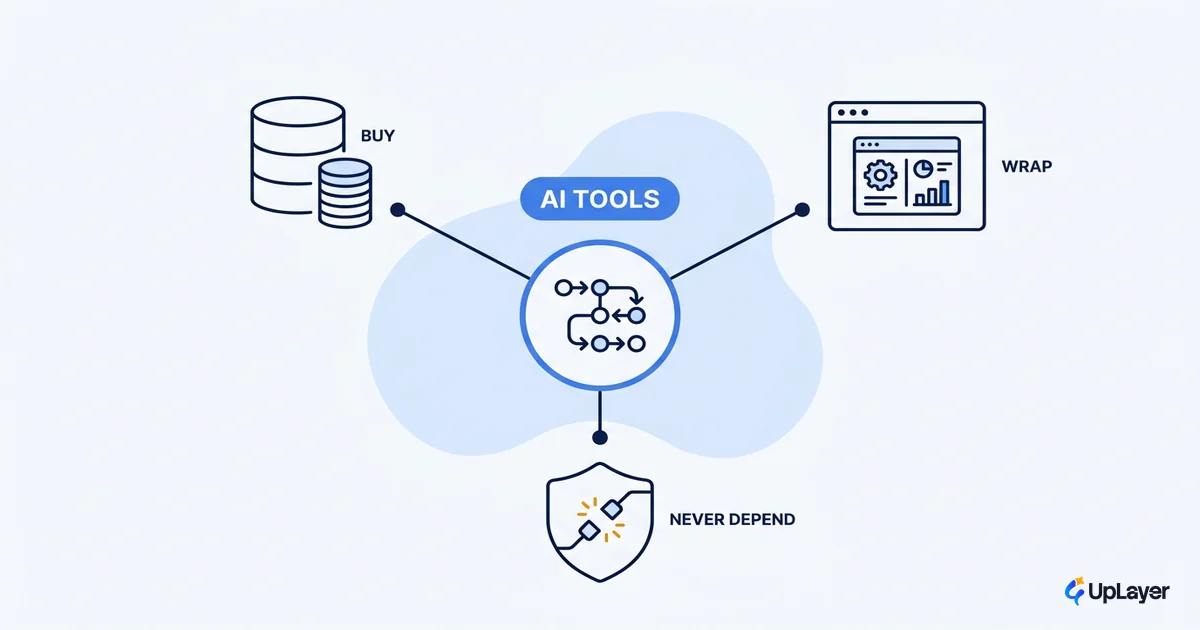
The list of SaaS AI tools is the easy part. There are hundreds, the categories repeat, and any roundup can tell you the names. The hard part is the decision nobody writes down: where does each tool sit relative to a flow your users can't afford to have break?
We pick these tools backwards. We start from the tool, get excited, and then go looking for a place to put it. The order that works is the opposite. Start from the flow and the metric, then ask whether a tool belongs inside that flow, on top of it, or nowhere near it. That single reorder is the whole job, and it's how you add AI to your SaaS without betting the company on a dependency you can't see.
So this isn't a catalog. It's three questions to run any tool through: do you buy it, wrap it, or never depend on it for a core flow?
Three ways a SaaS AI tool can sit in your product
Every SaaS AI tool lands in one of three positions, and the position decides almost everything about how much it can hurt you.
Buy the things you'd be foolish to rebuild and don't differentiate on: models, vector search, evaluation, observability. Wrap a tool behind your own UX when the judgment is yours and the tool is just plumbing. Never depend on anything that sits load-bearing in a core flow and fails without telling you. That last category is where most of the damage happens, because the failure is silent and the demo looked fine.
The instinct to build rather than buy is strong right now. Andreessen Horowitz found that enterprises lean toward building apps in-house, partly because thin wrappers around a familiar output are easy for anyone to clone. The lesson isn't "always build." It's that wrapping only earns its place when your UX, your data, or your domain judgment is the actual product. Wrap that. Buy the rest.
| Position | What goes here | The test | Failure mode |
|---|---|---|---|
| Buy | Models, embeddings, vector DB, evals, monitoring | Swappable, metered, not your differentiator | Cost creep (visible, manageable) |
| Wrap | A tool behind your own UX where judgment is yours | Your design or data is the value, not the tool | Mediocre UX (you control the fix) |
| Never depend on | Any model output load-bearing in a core flow | One bad output breaks trust or a transaction | Silent failure (worst kind) |
The line is the same one we draw between supportive AI and the core engine, applied to the toolchain. Tools on top are safe to lean on. Tools inside a flow users depend on need guardrails, or they shouldn't be load-bearing at all.
Which SaaS AI tools should you build on?
Build on the infrastructure layer, and treat it as infrastructure. The tools worth standing on are the ones you can swap without a rewrite: the model API, the vector store, the evaluation suite, the tracing and cost monitoring underneath it all.
The test for "build on this" is three words: swappable, metered, undifferentiated. If switching providers is a config change rather than a re-architecture, you're buying infrastructure, which is what you want. If a tool quietly becomes the thing your product is, you've made it a dependency instead of a foundation. The ai saas economics only work when the layer you rent stays the layer you rent.
This is also where most teams overspend on the wrong abstraction. You don't need a framework for everything. You need a clean seam between your product and the model so the model can change. Pick tools that respect that seam.
What AI tools speed up shipping features?
The clearest win in SaaS AI tools is the dev loop, because that's where the failure mode is cheap. When an AI tool helps you ship and you review every output before it lands, a wrong suggestion costs a few seconds, not a customer.
The adoption data backs this up. Menlo Ventures found that code copilots lead enterprise AI adoption at 51%, with GitHub Copilot reaching a $300 million revenue run rate, making developers the earliest power users of the category. And the speed is real, not vibes.
In a controlled experiment with 95 developers, GitHub measured that those using Copilot completed the same task 55% faster than those without it (1h11m versus 2h04m).
That's the pattern for tools that speed up shipping: they sit beside the person doing the work, not in front of the user. Copilots, test generators, migration helpers, schema and boilerplate tools. They make building SaaS with AI faster without putting a model on the critical path of a customer's transaction. You ship more, and nobody outside the team ever depends on the tool being right.
TIP
A simple filter: if a wrong output is caught by a human in seconds, the tool can be aggressive. If a wrong output reaches a user silently, the tool has to be conservative or it doesn't belong there.
Build vs buy AI tools for SaaS?
The build-vs-buy question has a cleaner answer once you stop asking it about "AI" in general and ask it per tool, per flow. Three variables decide it: how much the tool differentiates you, how reliable it has to be, and how expensive it is to switch later.
Score each one before you commit. The point isn't precision, it's forcing the conversation to happen before the contract or the sprint.
DECISION = score each tool 1 (low) to 3 (high)

  differentiation  -> is THIS tool the reason users pick us?
  reliability_need -> does a wrong output break trust or money?
  switching_cost   -> how locked in are we after we wire it in?

  build (wrap behind our UX)  if differentiation = 3
  buy raw infrastructure      if differentiation = 1 and switching_cost <= 2
  do not put in a core flow    if reliability_need = 3 and no guardrails exist

  when in doubt, buy the boring layer and wrap only the judgment.
Most SaaS AI tools score low on differentiation, which means buy. The handful that score high are the ones worth your design and engineering time. We go deeper on this elsewhere, but the short version of the build-vs-buy call for AI features is: build the judgment, buy the plumbing, and never confuse the two.
What to never wire into a core flow
Here's the part the listicles skip. Some tools should never be load-bearing in a flow your users depend on, no matter how good the demo was. A booking that silently books the wrong slot, a summary that drops the one clause that mattered, an auto-action a user can't undo. These don't fail loudly. They fail quietly and erode trust before anyone notices.
Reliability isn't a nice-to-have here. It's the ROI lever. LangChain's survey of 1,300+ professionals found that performance quality, not cost, is the top barrier to production, with 45.8% of small companies citing it as their primary concern versus 22.4% for cost. The tool that's cheap and fast and wrong in a core flow is the most expensive tool you own.
WARNING
A tool that fails silently in a core flow is worse than no tool. The demo will look great and the metric will quietly go the wrong way. Define the guardrail before you wire it in, or keep it out.
The fix isn't to avoid AI in important flows. It's to treat that AI as supportive AI rather than core-engine AI: a suggestion a human confirms, a draft a user edits, an action with an undo and a log. We make that distinction the whole basis of choosing supportive AI rather than core-engine AI, because it's the difference between a tool that earns trust and one that spends it. Human-in-the-loop and a visible failure state are the price of putting any model near a flow that matters.
The good news for ai saas teams is that this rarely costs you the feature. It costs you the version where the model acts alone. That version was the risky one anyway.
The right SaaS AI tools disappear into the product and move a number you already track: activation, retention, velocity. The wrong ones become a dependency you don't notice until it breaks in front of a customer. Run every tool through buy, wrap, or never-depend-on before it touches a core flow, and most of the bad decisions get made on paper instead of in production.
TIP
Not sure which tools belong in your product and which to skip? How the AX Audit works.