AI agent for SaaS that supports, never replaces
An AI agent for SaaS earns its place as a supportive layer scoped to one bounded job, with guardrails and a metric. Here is where it fits and what to avoid.
 Anamoul RoufAI Copilots & Assistants7 min read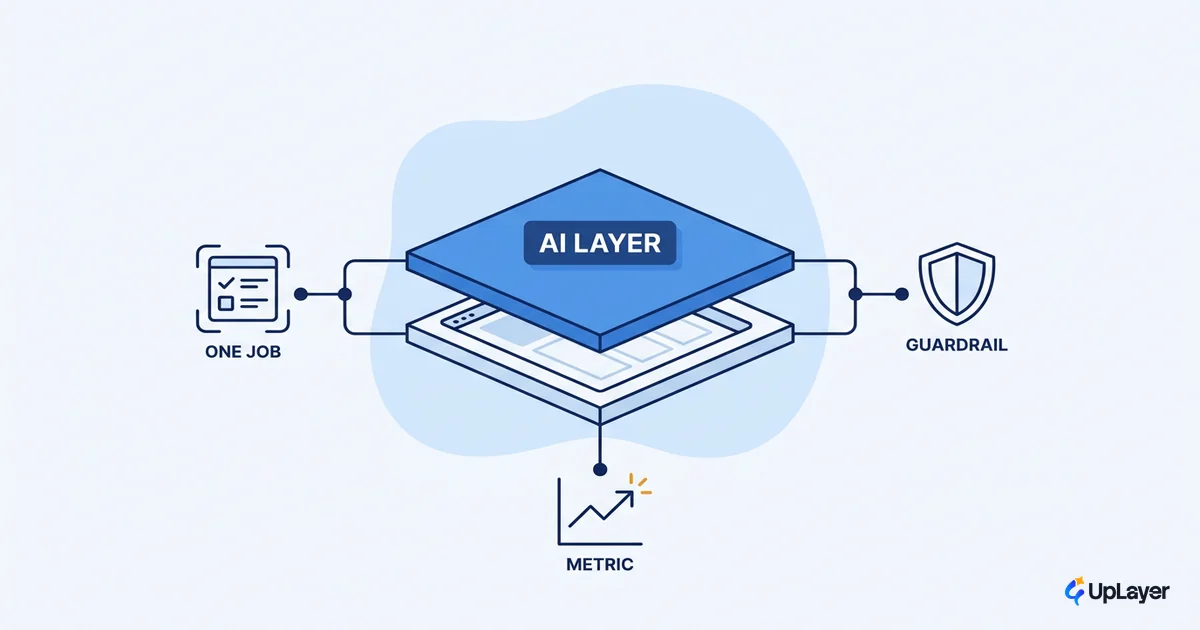
Most teams reach for an autonomous agent when the job needs a bounded one, and then they pay for it. The pitch is intoxicating: hand the software a goal, walk away, let it figure out the rest. The reality is messier and more expensive. An AI agent in a SaaS product is not a replacement for your team or your engine. It is a layer that does one scoped job well, under supervision, against a number you already care about.
This guide is about building an AI agent for SaaS that supports your product instead of betting it. We will cover where an agent actually fits, which jobs it should take, the guardrails that keep it in bounds, and the moment when the honest answer is "do not ship one." If you are still deciding what kind of assistant your product needs at all, start with designing AI assistants for B2B SaaS that earn trust and come back here once you have picked the job.
The anti-hype frame is not pessimism, it is arithmetic. Gartner projects that more than 40% of agentic AI projects will be canceled by 2027, citing escalating costs, unclear business value, and inadequate risk controls. Every one of those three failure modes is a scoping problem, and every one is avoidable.
NOTE
The agents that survive are not the most autonomous. They are the most bounded. Scope is the feature.
What an AI agent actually is inside a SaaS product
An AI agent is a language model that uses tools in a loop, deciding its own next step until it hits a stopping condition. That is the whole mechanism. In a SaaS product, that agent sits above your core engine, calling your existing APIs and actions, never rewriting the logic your business depends on.
The distinction that matters for product decisions is agent versus workflow. A workflow runs a fixed sequence you defined. An agent chooses the sequence at runtime. Anthropic, after working with dozens of teams, reports that the most successful agent implementations use simple, composable patterns rather than complex frameworks, and that many "agent" problems are better solved as plain workflows. That is the first guardrail: do not reach for autonomy you do not need.
Hold the three terms straight before you build:
| Pattern | Who picks the steps | Best for | Risk if misused |
|---|---|---|---|
| Workflow | You, at design time | Known, repeatable sequences | Brittle when inputs vary |
| Copilot | The user, with AI assist | Drafting, suggesting, in-context help | Adds friction if it interrupts |
| Agent | The model, at runtime | Open-ended jobs with a clear goal | Cost and drift without bounds |
Supportive AI means choosing the lightest pattern that does the job. A copilot that suggests beats an agent that acts when a human is already in the loop. An agent earns its keep only when the job is genuinely open-ended and a person cannot sit on every step.
Where does an AI agent fit in a SaaS product
An AI agent fits above the core engine, never inside it. The core engine is the thing your customers pay for and trust to be correct: the billing math, the data pipeline, the scheduling logic. You do not put a probabilistic model in the path of a deterministic guarantee. You put it on top, where a wrong answer is a draft, not a transaction.
That placement test is simple. Ask what happens when the agent is wrong. If a wrong output corrupts customer data or charges the wrong card, the agent does not belong there. If a wrong output is a suggestion a human reviews, or a task that gets verified before it commits, the layer is safe.
| Placement | Example | Failure cost | Verdict |
|---|---|---|---|
| Above the engine | Triage a support ticket, draft a reply, summarize an account | Reviewable draft | Good fit |
| Beside the engine | Suggest the next config, flag an anomaly for a human | Ignored suggestion | Good fit |
| Inside the engine | Compute an invoice, write to the ledger, run irreversible actions unattended | Broken trust | Do not |
Tie the placement to a metric you already track. If the agent drafts support replies, the metric is time to first response or deflection rate. If it summarizes accounts for sales, the metric is rep prep time. No metric, no agent. That discipline is the spine of every AI ROI decision, and it is what separates a feature that ships from a demo that impresses.
What jobs should a SaaS agent take
A SaaS agent should take bounded jobs your product already does manually. The best candidates are repetitive, well-defined, and verifiable, with a clean way to know the work is done. The worst candidates are open-ended judgment calls where being wrong is costly and being right is unprovable.
Score every candidate job against two questions: does it move a metric you track, and does it have a clean stopping condition. If either answer is no, it is not an agent job yet.
| Good-fit jobs | Metric it moves | Bad-fit jobs | Why it flops |
|---|---|---|---|
| Triaging and routing inbound tickets | First-response time | Pricing or contract decisions | No clean ground truth, high cost to be wrong |
| Drafting first-pass responses for human review | Agent handle time | Irreversible account actions | A wrong step cannot be undone |
| Summarizing long records before a human acts | Prep time per task | Open-ended strategy "advice" | No metric, no stopping condition |
| Filling structured fields from unstructured input | Data-entry hours saved | Anything touching the core ledger | Belongs in the deterministic engine |
This is the same supportive AI thesis that runs through agentic AI for SaaS without the autonomy hype. Agentic does not mean unsupervised. It means the model picks steps inside a fence you built, on a job you chose because it pays back on a metric.
AI agent guardrails that keep it in bounds
AI agent guardrails are the controls that stop a model from doing more than its job. Four of them carry most of the weight: a tight scope, a stopping condition, human checkpoints, and input and output validation. OpenAI's agent stack ships guardrails as exactly that, configurable safety checks for input and output validation, because an agent without them will eventually act on a bad input or produce a bad output with full confidence.
Make the bounds explicit before you write the agent loop. A scoped agent reads less like an open-ended prompt and more like a contract:
agent: support-triage
scope:
  allowed_tools: [read_ticket, tag_ticket, draft_reply]
  forbidden_tools: [refund, close_account, edit_billing]
max_iterations: 6          # stopping condition, never run unbounded
human_checkpoint:
  before: [send_reply]     # draft is reviewed, never auto-sent
validation:
  input: reject_if_pii_unmasked
  output: must_match_reply_schema
metric: first_response_time # the number this agent must move
Notice what the config refuses to grant. The agent can draft a reply, but a human sends it. It can tag a ticket, but it cannot touch billing. It runs at most six steps, then stops. Those refusals are the product. The same fencing logic is worth its own read in guardrails that keep a copilot in bounds, because the controls that work for a copilot are the controls that keep an agent honest.
WARNING
Autonomy is not a feature, it is a liability you accept on purpose. Every tool you hand an agent is a way it can be wrong at scale. Grant the fewest tools the job needs, and gate the irreversible ones behind a human.
How do you add an agent to a SaaS product safely
You add an agent to a SaaS product safely by shipping the smallest scoped version first and measuring before you expand. More organizations are putting AI into production every year, as the 2025 AI Index documents, which means the teams that win are not the ones that ship fastest. They are the ones that scope tightest and prove value before scaling.
Run it as a sequence, not a leap:
- Pick one bounded job the product already does manually, with a clear stopping condition.
- Name the metric that job moves, the one you already track, before any code.
- Set the guardrails: allowed tools, max iterations, human checkpoints, validation.
- Ship behind a flag to a small cohort, with a human reviewing every output.
- Measure the delta against the baseline metric, then decide to expand, hold, or kill.
That sequence is the short version of the decisions that come before any code, which we lay out in full in our guide to how to build an AI agent, the decision before the code. Choosing an AI agent framework is a product call, not just a tech call. The framework matters far less than the scope and the metric. A simple loop on a well-chosen job beats a sophisticated agentic AI SaaS build aimed at a job that moves nothing. Pick the framework after you have proven the job is worth doing.
When an agent is the wrong call
Sometimes the right answer is not to ship an agent, and saying so is the most valuable thing a product team can do. If no metric moves, you have a demo, not a feature. If the job has no clean stopping condition, the agent will wander and cost you. If a wrong output is irreversible, the job belongs in your deterministic engine or in a human's hands, not in a model's loop.
In a UpLayer Concept Demo, this is the first thing we pressure-test: we map the proposed agent to a metric the team already tracks and a projected delta, with the assumptions shown. If the projection does not clear the cost of running the model, the recommendation is to not build it. That is supportive AI in practice. The honest "no" protects the product more than another shipped feature ever could.
The agents that last are the ones scoped so tightly that being wrong is cheap and being right is measurable. Build your AI agent for SaaS as a layer that supports the engine you already trust, fence it to one job, and let a number you already track decide whether it stays. That is the whole discipline, and it is the difference between an agent that survives and one that gets canceled.
TIP
Want to know which agent job actually pays back on a metric you already track, before you build it? How the AX Audit works.