AI UX research methods that find real signal
AI UX research has to handle features that answer differently every run. Methods to test probabilistic AI, score trust, and tie results to a metric.
 Sohanur RahmanAI Product & UX Design7 min read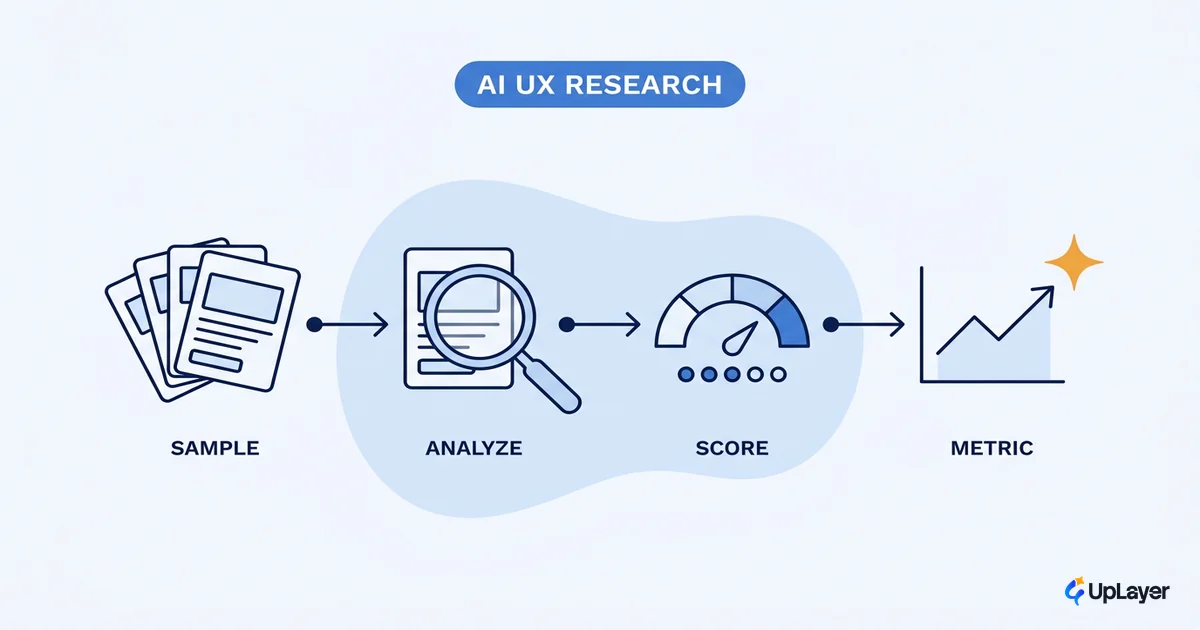
You can run a clean usability test on an AI feature, watch five people succeed at the task, ship it, and still be wrong. Not because the test was sloppy, but because you tested one roll of the dice. The feature is probabilistic. The same input can return a different answer on the next run, and the answer your participants saw may be the best one they will ever get.
That is the problem at the center of AI UX research. Classic research validates a fixed thing: this screen, this flow, this copy. An AI feature is not fixed. It is a distribution of possible outputs, and a single happy-path session tells you almost nothing about the rest of that distribution. If your method does not account for variance, your research is theater. It looks like validation and proves nothing.
This piece is about research methods that hold up when the thing under test changes every run, and how to wire those methods back to a number you already track so the result is a decision, not a slide. It pairs with the UX patterns that drive feature adoption, which covers what you do with the findings once you have them.
What makes AI UX research different from regular UX research
The unit under test is a distribution, not a screen. That is the whole difference, and everything else follows from it.
Regular UX research assumes a deterministic product. Press the button, get the menu. The designer specified every state, so research checks whether users can find and operate those states. AI features break that assumption. As Jakob Nielsen put it, generative AI introduced intent-based outcome specification, where the user states a desired outcome and the system decides how to produce it. The system is no longer obedient. It is probabilistic, and it can produce a different result for the same request.
So a test that confirms "the user got a good answer" confirms one sample from a range. The next user, or the same user an hour later, might get a vague answer, a confidently wrong answer, or a refusal. Research that only sees the good sample will overstate quality and miss the failure modes that actually drive people to abandon the feature. Good AI UX research treats variance as the subject, not the noise.
What should you test in ai ux research
Test four things classic research usually skips. Task success on the happy path is the least useful of them.
| What to test | Why it matters for AI | How to observe it |
|---|---|---|
| Output variance | The same input returns different answers; quality is a range, not a point | Run the identical task many times, score the spread, not one result |
| Recovery from a wrong answer | Users will hit bad output; the question is whether they can tell and fix it | Seed a known-bad response and watch whether people catch it |
| Trust calibration | Over-trust ships errors downstream; under-trust kills adoption | Ask users to rate confidence, then compare to actual correctness |
| Metric delta | A feature that tests well but moves nothing is not worth keeping | Tie the task to a baseline metric (completion, deflection, retention) |
The first column is the gap. Most AI feature research stops at row one of a normal usability script and never tests recovery, trust, or the metric. Those three are where AI features quietly fail. A feature can be usable and still erode trust, and a feature can feel impressive in a session and still move zero. If you only test what regular research tests, you learn what regular research learns, which is not enough for a feature whose output you cannot predict.
How do you run ux research on ai features
Sample the distribution, then score it against a baseline. The protocol is small and you can run it in a week.
Keep the qualitative panel small. The classic finding still holds: a first study finds about 85% of usability problems with just five participants, so five users is plenty per round. The change for AI is that you do not run each task once. You run the same task many times to see the range of outputs, then put the panel in front of a representative slice of that range, including the bad ones. Five users seeing one curated good answer is the trap. Five users seeing the real spread is research.
Here is the shape of the protocol:
AI feature research protocol (one task, one week)

1. Pick ONE task that maps to a metric you already track.
   metric_baseline = current value (e.g. task completion = 62%)

2. Sample the output distribution.
   Run the same input 20-30 times.
   Bucket results: good / vague / wrong-but-confident / refusal
   variance_score = % of runs that are "good enough to ship"

3. Run 5 users against a REAL slice (include 1-2 bad outputs).
   For each session, log:
     - task_success     (did they finish?)
     - caught_error     (did they notice the bad output?)
     - trust_rating     (1-5, self-reported)
     - recovery_path    (what did they do when it was wrong?)

4. Decide.
   keep IF variance_score is acceptable
          AND users recover from bad output
          AND projected metric_delta > 0
   else cut or rescope.
Step four is the point. The output of AI UX research is not a list of friction points. It is a keep-or-kill call backed by how the feature behaves across its real range. The second internal read, the UX patterns that drive feature adoption, covers how to act on a "keep" without over-promising to users.
AI UX best practices for research that survives contact with real users
The best practices that matter most are the ones that test trust and failure, not polish. Good AI UX is mostly about how the feature behaves when it is wrong, and your research has to go looking for that on purpose.
A few that earn their place:
- Test the wrong answer first. Seed a plausible-but-wrong output and see whether users notice. If they accept it, your confidence and trust signals are not working. This is the heart of designing for AI uncertainty.
- Measure trust separately from task success. People will complete a task and still not trust the feature enough to use it again. Adoption depends on the second number, not the first.
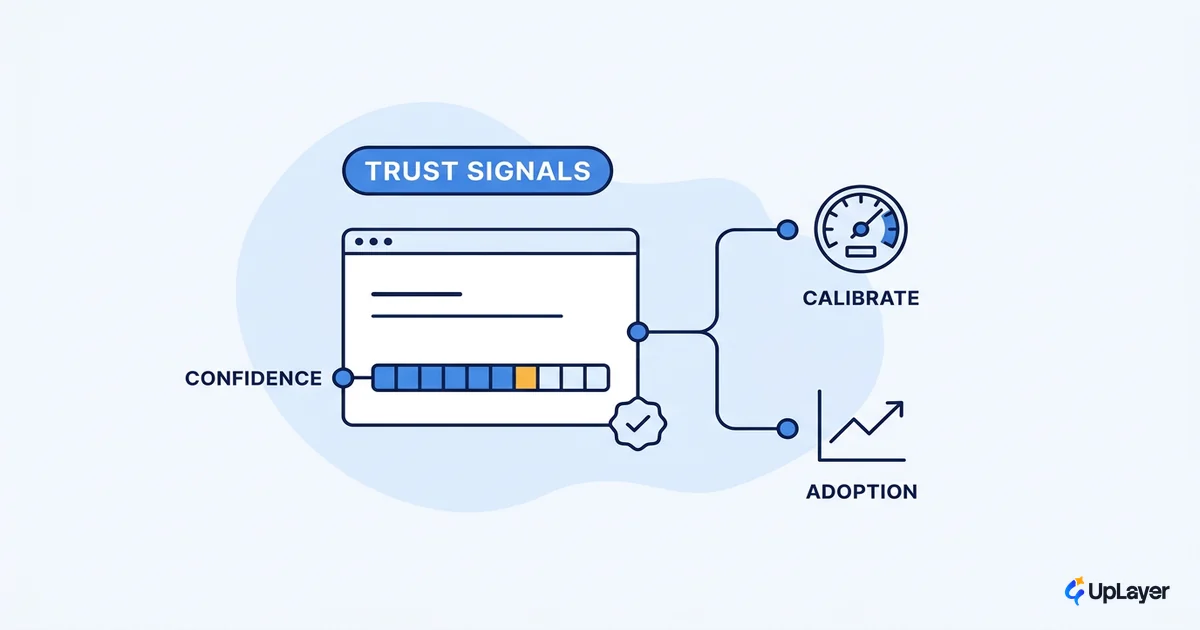
- Show the work. Confidence indicators, sources, and editable output all change behavior in testing. Research them as features, not decoration. This is where good AI UX design pays off.
- Watch for over-trust, not just under-trust. A feature people trust too much is a liability, because it ships errors downstream without a second look.
The reason trust deserves its own measurement is that your users are warier than your team. In one large survey, just 11% of the public are more excited than concerned about AI in daily life, compared with 47% of AI experts. The people building the feature are not a proxy for the people using it. Human AI interaction design has to be researched against the skeptical user, not the enthusiastic one. Running that research and turning it into design calls is core to what the AI UX designer actually does, a role defined by judgement under uncertainty rather than by polishing a fixed screen.
WARNING
A flawless happy-path test is the most common way AI UX research lies. If every participant saw a good output, you measured your luck, not your feature. Put the bad outputs in front of users on purpose.
Tie the research to a metric, or it's theater
Research that does not connect to a metric you already track is a ritual, not a decision. This is the rule that separates AI feature adoption from AI feature activity.
The pressure to ship something is real. Stanford's AI Index reported that 78% of organizations reported using AI in 2024, up from 55% the year before, so "we added AI" is no longer a differentiator. What differentiates is whether the feature moved a number that matters. That is why every research protocol above starts and ends with a metric: completion rate, support deflection, time to value, retention. Pick the one your team already reports on, set the baseline before the study, and measure the delta after.
Research that ends in a friction list is documentation. Research that ends in a measured delta against a tracked metric is a decision.
If the delta is flat or negative, the honest move is to cut the feature, even though it tested fine in a session. That is the discipline most AI work skips, and it is the same logic behind how you measure the ROI of the feature once it is live. Use projected numbers and a Concept Demo to estimate the delta before you build, then confirm it after.
Done this way, AI UX research stops being a checkbox and becomes an instrument: it tells you which probabilistic features earn their place and which ones to leave on the cutting room floor. The features that survive that test are the ones worth designing well, and the ones that do not were never going to move a metric no matter how good the interface looked.
TIP
Want this run for your product, against a metric you already track and on real output variance, not one lucky demo? How the AX Audit works.