Designing AI products without betting the company
Designing AI products as a supportive layer above your core engine, so a bad model never sinks the product. The principles, the risks, and what to avoid.
 Anamoul RoufAI Product & UX Design7 min read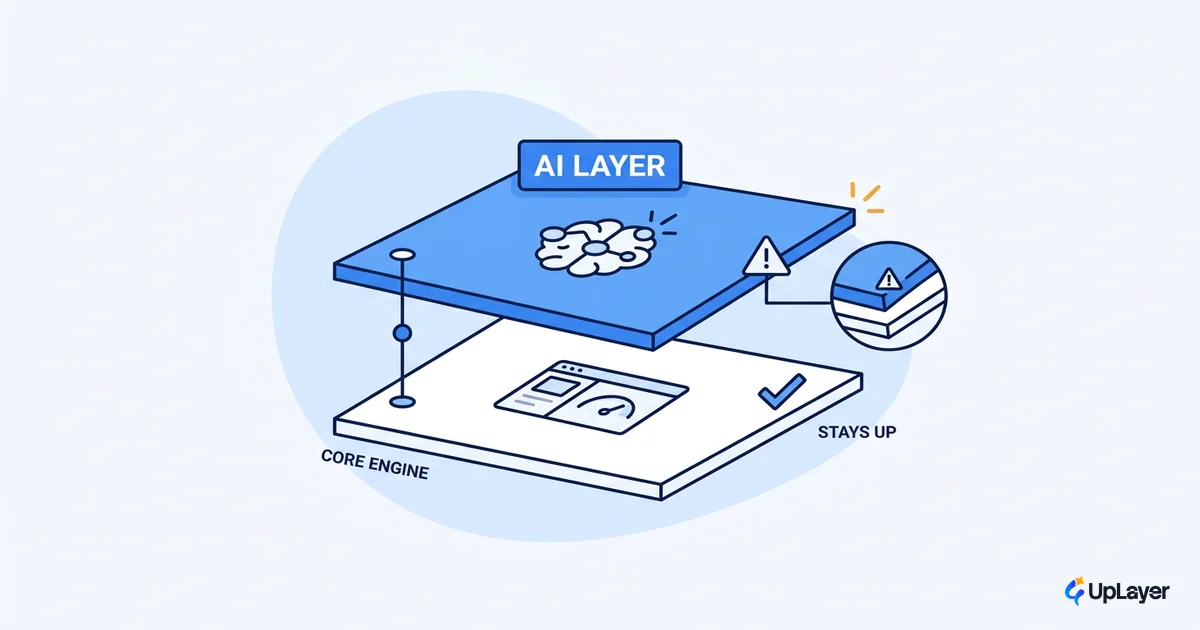
Most teams design the AI feature first and the product second. They pick a model, build the demo, ship it onto the critical path, and then discover that one bad model release can take the whole product down with it. Designing AI products well is mostly about refusing that order of operations.
The fix is an architectural choice, not a styling one. You design AI as a supportive layer that sits above the engine that already works, so the product keeps running when the model is wrong, slow, or swapped out from under you. That single decision is what separates a feature that adds value from a feature that adds risk. Before you sketch a screen, decide which AI features to build against a metric you already track.
This piece covers the supportive-layer principle, the failure mode it removes, the design rules that follow from it, and an explicit list of what not to build.
Designing AI products starts with one architectural decision
Treat AI as a layer above the engine, never as the engine itself. That is the whole thesis of AI product design that holds up: pick the feature against a metric, then design the layer so the product survives the model being wrong.
A layer is a part of the product the user can route around. If the model returns nothing useful, the rest of the workflow still completes. The AI suggests a reply, drafts a summary, ranks a list, or flags an anomaly, and the user can ignore it without hitting a wall. Contrast that with load-bearing AI, where the model sits on the only path to the outcome. When load-bearing AI fails, the product fails.
The cost of getting this wrong shows up in the numbers. Gartner predicts that at least 30% of generative AI projects will be abandoned after proof of concept by the end of 2025, citing escalating costs and unclear business value among the leading causes. A layer is cheaper to kill and safer to keep, because the product underneath it never depended on the bet.
Why most AI products bet the company by accident
Nobody decides to risk the product on a model. It happens because the model gets wired into the critical path during a sprint, and the fallback never gets built.
Adoption is not the problem. The Stanford AI Index reports that 78% of organizations reported using AI in 2024, up from 55% the year before. The problem is that near-universal adoption has not produced near-universal return. When a feature is load-bearing and the model hallucinates, returns latency, or gets deprecated by the vendor, the failure is no longer a degraded suggestion. It is an outage.
Adoption is near-universal. Provable, durable return is not. The gap is usually an architecture decision, not a model choice.
Supportive AI is the answer to that gap. Supportive AI improves an outcome the product can already deliver without it. Load-bearing AI is the only way to reach the outcome at all. Good ai product design keeps the second category small and well-guarded, and pushes most features into the first.
AI design principles for a supportive layer
A handful of ai design principles make a layer survivable. None of them are about the model. They are about what the product does when the model is uncertain or wrong.
Jakob Nielsen frames the underlying shift as intent-based outcome specification: users tell the system what they want rather than how to do it. That shift is powerful, and it is also where reliability gets fragile, because the system now guesses at intent. Microsoft's research-backed guidelines for human-AI interaction are explicit that you should design good behavior for when the system is wrong, not just when it is right. The same toolkit recommends making clear what the system can do and how well it can do it, so users calibrate their trust instead of inheriting it blind.
In practice, the supportive layer follows four rules.
- Degrade gracefully. A failed model call returns the pre-AI experience, never an error wall.
- Keep a human in the loop on high-stakes actions. The AI proposes, the person disposes, especially where money, data, or irreversible changes are involved.
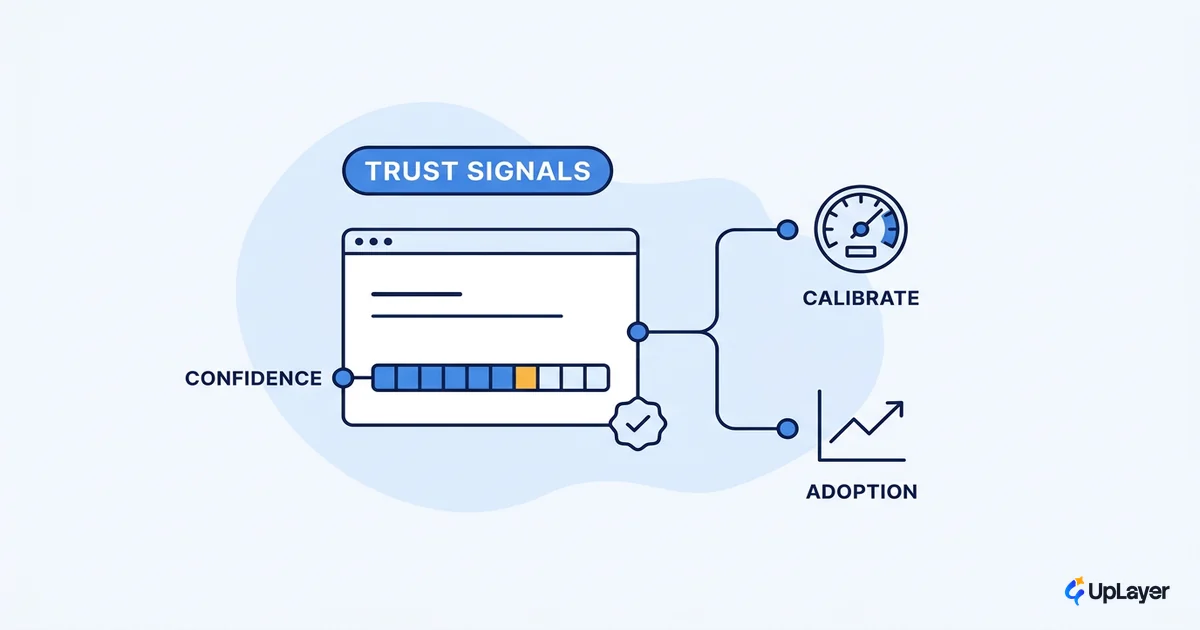
- Make uncertainty legible. Show confidence, sources, and edit affordances so the user can read the output critically. This is its own design problem, covered in designing for AI uncertainty without losing trust.
- Tie the feature to a tracked metric. If you cannot name the retention, activation, or conversion number it should move, it is decoration.
| Pattern | Load-bearing AI | Supportive layer |
|---|---|---|
| Failure mode | Product breaks; user is blocked | Product reverts to its pre-AI path |
| User control | AI output is the only option | User can accept, edit, or ignore |
| Model swap | Risky; may require a rebuild | Routine; the layer is replaceable |
| Trust signal | Hidden; "just trust it" | Confidence and sources shown |
| Tied to a metric | Often unclear | Always, before the build |
What should you avoid when designing ai products
The fastest way to design a safer AI product is to refuse a short list of patterns. Saying no here is the point, not a limitation.
WARNING
The most expensive mistake here is putting a model on the critical path with no fallback. When that model is wrong or unavailable, you no longer have a degraded feature. You have an outage your users cannot route around.
Avoid these four anti-patterns:
- AI on the critical path with no fallback. If removing the model removes the outcome, you have built a load-bearing dependency on something that is wrong some of the time.
- Features with no metric. A generative ai product design that demos well but moves no tracked number is theater. It will be the first thing cut and the hardest thing to defend.
- Chat for everything. A chat box is a fallback for problems you have not designed for. Most jobs are better served by a focused, in-context affordance than by a blank prompt.
- Model lock-in. If your product cannot survive swapping the underlying model, the vendor owns your roadmap and your reliability.
How do you design an ai product safely
Design the safety net before the feature. The sequence matters more than the model you pick, because it forces the layer architecture and the metric to exist before any code ships.
Safe-design sequence for an AI feature

1. METRIC    Name the tracked metric it should move (retention, activation, conversion).
2. FALLBACK  Define the pre-AI experience the user lands on when the model fails.
3. LAYER     Build the feature above the core path, never on it.
4. FLAG      Ship behind a flag to a slice of users; the core stays untouched.
5. MEASURE   Compare the metric delta against the control, then keep, fix, or kill.

Rule: if step 1 or step 2 is blank, do not proceed to step 3.
This is how supportive ai stays supportive. Every feature carries its own off-ramp, so a model swap is routine and a bad release is contained. It is also how you keep the work honest. When you can measure the ROI of an AI feature against a control, you stop arguing about whether the demo was impressive and start reading the delta.
We build this way on purpose. In a recent Concept Demo, an in-product summarization layer was framed to move activation by a projected margin while leaving the core editor fully usable if the model returned nothing. Projected, not achieved, and shipped behind a flag so the downside was capped. The broader playbook for putting a layer into a live product without disruption is in add AI to your SaaS without betting the company.
The teams who get the most out of AI are not the ones with the best model. They are the ones who treat the model as one replaceable part of a product that already works. That is the quiet skill behind designing ai products that earn their place: a layer you can swap, a metric you can read, and a fallback your users never notice because it is always there.
TIP
Want to know which AI feature would actually move a metric in your product, and how to design it as a safe layer? How the AX Audit works.