In-product AI that earns its place on the screen
In-product AI earns its place by surfacing help inside the workflow, not as a corner chatbot. Where it should live, when it helps, and how to know it worked.
 Sohanur RahmanAI for SaaS & Features8 min read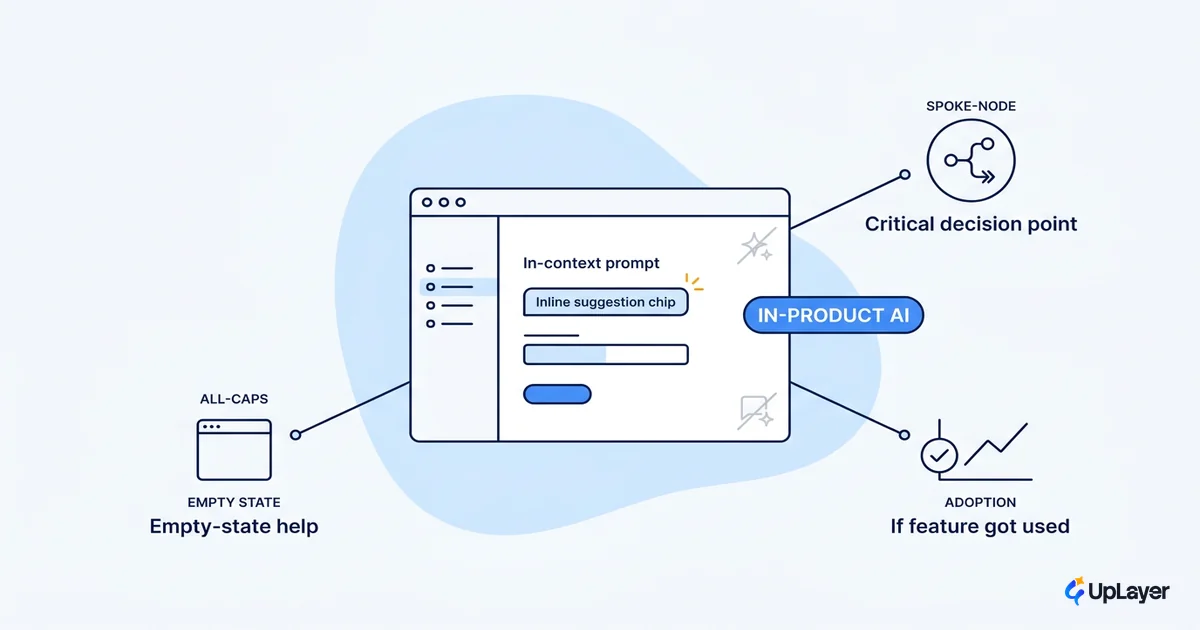
Open almost any B2B SaaS product right now and you find a small sparkle icon in the bottom-right corner. Click it and a chat panel slides out, eager to help, attached to nothing you were actually doing. That is what most teams mean when they say they shipped in-product AI. It is also why most of it goes unused.
In-product AI is intelligence that lives inside the product workflow and acts on the user's real data and context, instead of a generic chatbot bolted to the edge of the screen. The distinction sounds small. It is the entire difference between a feature people adopt and a feature that decorates your changelog.
The pressure to add AI is real and accelerating. Gartner projects that 40% of enterprise apps will include task-specific AI agents by the end of 2026, up from less than 5% in 2025. That curve guarantees a flood of features that demo well and move nothing. This piece is about the other kind: in-product AI that earns its place because it moves activation, retention, or another metric you already track.
What is in-product AI
In-product AI is intelligence embedded directly into the screens and workflows users already use, operating on their data and the task in front of them. It is the opposite of a standalone assistant that lives in a separate panel and starts every conversation from zero. The difference is context. The system already knows what the user is looking at.
A standalone chatbot asks, "How can I help?" The embedded version answers a question the user has not finished typing yet, because it can see the half-filled form, the stuck workflow, or the report that is missing a number. That is the mechanism. The AI sits as a layer on top of the product you already built, reads the same context the user sees, and surfaces help in place.
This matters because adoption is the only metric that pays. A feature with a 2% open rate returns nothing no matter how good the model is, which is why placement, not model choice, is usually the real decision. Picking which AI features for SaaS are worth adding starts with where the feature will live, because location is what decides whether anyone uses it.
Where should AI live inside the product
AI should live exactly where the user already gets stuck, makes a decision, or stares at a blank field. Put it at the point of friction, not in a corner. The corner is where features go to be ignored.
There are four places embedded AI reliably earns its keep, and one place it almost never does:
| Location | What the AI does there | The metric it protects |
|---|---|---|
| The empty state | Drafts a first version so the blank screen is never blank | Activation |
| The decision point | Summarizes or recommends right where a choice is made | Conversion, expansion |
| The stuck workflow | Explains the error and offers the fix in place | Retention, support deflection |
| The repetitive task | Automates the boring step inline, with a human check | Time-to-value, retention |
| Waits for a question nobody asks | Nothing |
The pattern across the rows that work: the AI appears at a moment the user already cares about. The empty state is the highest-leverage spot in most products, because a blank canvas is where new users churn before they ever reach value. In-product AI that fills that first draft is doing activation work, not decoration. These are the felt moments that decide whether an AI powered SaaS earns the perception of being smarter, because users judge the product at the surface, never at the backend.
The corner chatbot fails because it inverts this. It asks the user to stop their task, switch context, describe their problem in a text box, and trust an answer with no view of their screen. Every one of those steps sheds users.
WARNING
A floating chatbot can be technically excellent and still die at the open rate. If the AI cannot see what the user is doing, it is not in-product AI. It is a help desk wearing a sparkle icon.
When does in-product AI help vs distract
Embedded AI helps when it reduces the steps to a goal the user already had. It distracts when it adds a step, interrupts a flow, or asks for trust it has not earned. The test is whether the user's path got shorter or longer.
Help looks like a summary that saves a five-minute read, a draft that turns a blank field into an edit, or a flagged anomaly the user would have missed. Distraction looks like a proactive popup mid-task, a suggestion nobody asked for, or an action the AI took without a clear way to undo it. The same model can do both depending on where and how you place it.
There is a hard line here on trust. Generative AI still confidently produces plausible-but-wrong answers; in one Columbia Journalism Review study cited by Nielsen Norman Group, ChatGPT falsely attributed 76% of the 200 quotes it was asked to identify. If your AI guesses confidently and gets it wrong inside the user's real workflow, you do not just lose that feature. You damage trust in the product around it.
This is why supportive AI with reliability guardrails and a human in the loop on high-stakes actions outperforms a more autonomous version that occasionally embarrasses itself. The practical rule is short enough to put on a wall:
Ship AI the user can IGNORE without penalty
and ACCEPT without risk.

  optional draft they can edit        -> safe
  automatic action they cannot undo   -> not safe

If path_after < path_before:  help
If path_after > path_before:  distract
Adoption follows safety, and the metric follows adoption.
Designing in-product AI for adoption, not demos
A demo proves the model works. Adoption proves the feature earns its place. These are different bars, and most teams only clear the first. The fix is to design for the second user, on a normal Tuesday, not for the launch screenshot. Good ai feature adoption is a design outcome, not a model outcome.
Three design choices separate features that get used from features that get a press release:
- Make it visible at the moment of need, invisible otherwise. AI that is always talking becomes noise users learn to skip. AI that appears precisely when the user is stuck reads as competence.
- Show the AI's reasoning or source. A summary with a link to the underlying data is trustworthy. A summary from nowhere is a guess. Transparency is what turns a one-time try into a habit.
- Default to suggest, not act. Let the user accept, edit, or dismiss. The dismiss button is not a failure path. It is the trust mechanism that makes the accept button safe to press.
The cost of skipping this is not abstract. Pendo's usage data across its customer base found that 80% of features are rarely or never used, with just 12% of features driving 80% of daily usage. Most AI features in SaaS will land in that unused 80% unless placement and design pull them out of it.
Pendo found that an average of 12% of features generate 80% of average daily usage volume, while 80% of features are rarely or never used.
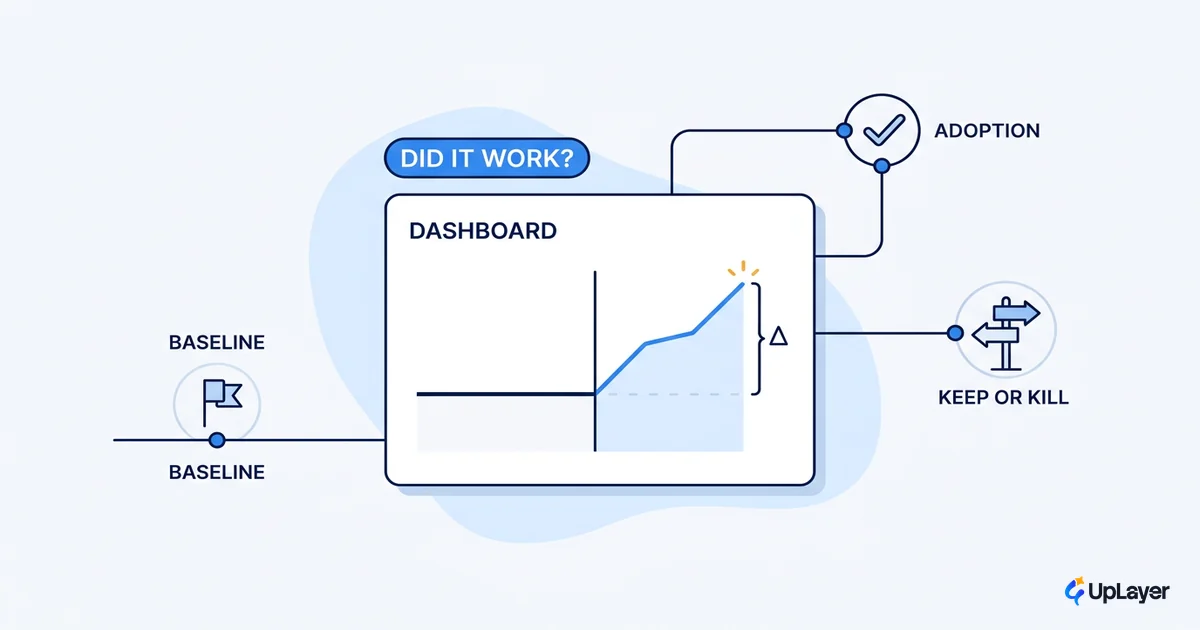
So measure it like any other feature. Track the open rate, the accept rate, and whether the metric you targeted actually moved. A feature with high open and low accept is solving the wrong problem in the right place. A feature with low open is in the wrong place entirely. The full instrumentation is its own discipline, and it is worth reading how to measure if the feature actually worked before you ship.
The honest version of this work means killing features that demo well and adopt badly. That is the discipline. The screen is finite, and every sparkle icon you add is a square inch you took from something that already worked.
How in-product AI pays for itself
In-product AI pays for itself the same way any feature does: it moves a number you already track, by a margin worth more than what it cost to build and run. Placement gets you adoption, adoption gets you usage, and usage is the only path to a metric moving. A brilliant model in the wrong corner moves nothing, so the ROI case is decided at the placement stage, not the model stage.
NOTE
We frame impact as projected, not achieved. A Concept Demo shows the placement and the mechanism on your real workflow, and the ROI projection ties it to a metric you already track before anyone commits to a build. That is the honest version of "this will pay off."
The takeaway is narrow on purpose. Put the AI where the user already gets stuck, make it suggest before it acts, show its sources, and measure adoption rather than the demo. Do that and in-product AI stops being theater and starts moving activation and retention, which is the only reason to add it to the screen at all.
TIP
Want the single highest-ROI place to put AI in your product, proven on a metric you already track? How the AX Audit works. We find the one opportunity worth building and tell you which features to skip.