AI guardrails explained for product teams
AI guardrails are the difference between a demo and a shipped feature. A prioritized model of the input, output, and behavioral controls your AI needs.
 Shahriar P. ShuvoAI Adoption & Trust7 min read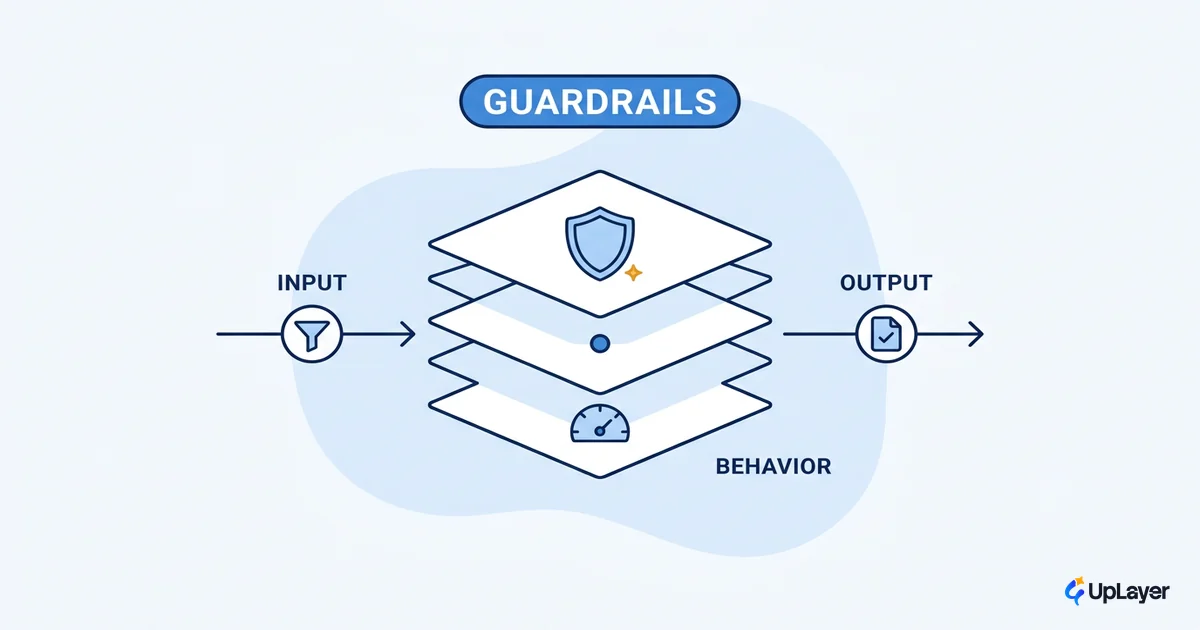
The gap between an AI demo and an AI feature people keep using is not the model. It's the AI guardrails around it. A prototype only has to be impressive once, in a controlled room, to a friendly audience. A shipped feature has to be right on a bad day, with a hostile input, in front of the one user whose trust you cannot afford to lose.
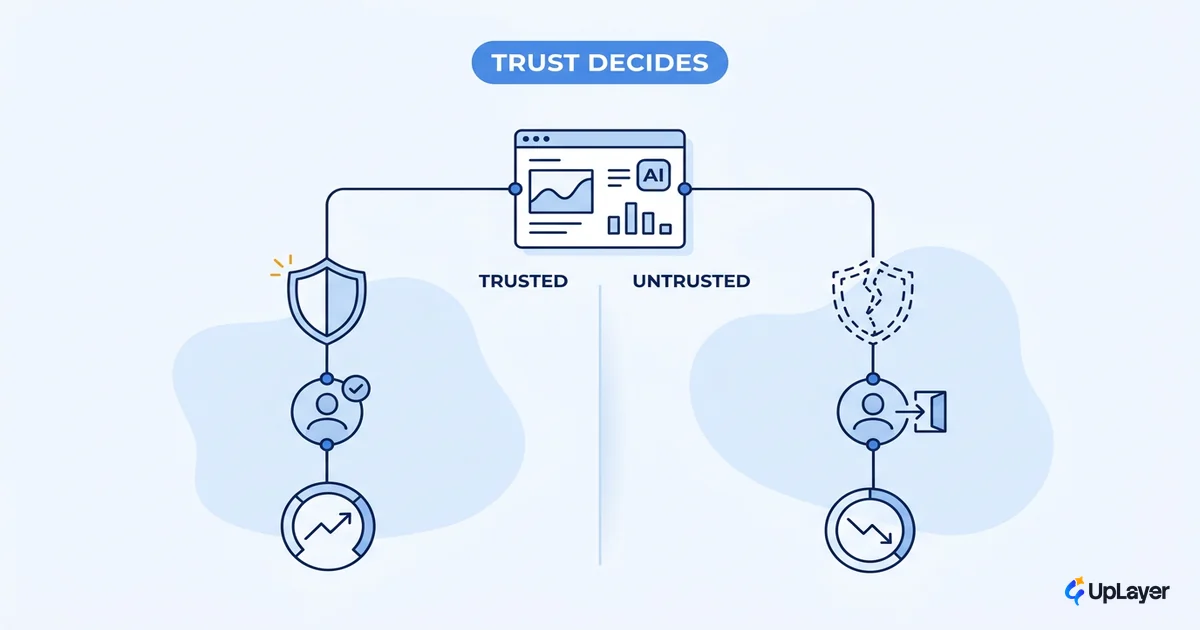
Trust is asymmetric. A feature can answer 90 questions correctly, and the single confident, wrong answer is the one a user remembers, screenshots, and forwards to their team. That asymmetry is why reliability work is not optional polish. It's the thing that decides whether a feature drives the metric you care about or quietly gets abandoned. If you're still deciding where AI belongs in your product at all, start with how to increase AI adoption in your product, then come back here for the controls that protect it.
This piece gives you a prioritized model, not a menu. Most articles list every possible control. We'll name the ones that earn their place for a given feature, and the ones that are theater.
What AI guardrails actually are
AI guardrails are the controls that keep an AI system inside the limits your users and your business require. They sit on three surfaces: what goes into the model (input), what comes out (output), and what the system is allowed to do (behavioral). If you want the ground-floor version before the prioritized model, a plain-language guide to what guardrails in AI are walks through the categories one at a time. IBM frames them as controls that keep an AI system inside intended limits across the data, model, and application layers, and that taxonomy is a useful starting point.
The reason guardrails matter is concrete, not abstract. Generative models are powerful precisely because they produce novel output, and that same capacity is what lets them leak sensitive data, follow a malicious instruction, or state something false with total confidence. The threat surface is real enough that, by IBM's accounting, roughly one in six breaches now involve attackers using AI. Guardrails are the difference between a system that fails safely and one that fails publicly.
A clarifying distinction: guardrails are not the same as ai safety controls bolted on for show. A disclaimer that says "AI can make mistakes" is theater. A validation step that refuses to send an email until a human approves it is a guardrail. One manages your liability language. The other manages your actual risk.
What guardrails does an AI product need
Not all of them. The honest answer to what guardrails does an AI product need is: the subset that maps to how this specific feature can fail and what it costs when it does. A read-only summarizer needs different protection than an agent that can modify customer records.
Work the question as a layered system, and rank each layer by the failure it prevents.
| Guardrail layer | What it catches | When it earns its place | When it's theater |
|---|---|---|---|
| Input validation | Prompt injection, off-scope requests, malformed data | Any feature taking free-text user input | Internal tool, trusted inputs only |
| Output validation | Hallucinated facts, wrong format, leaked data | Anything user-facing or downstream-consumed | Output a human reviews anyway |
| Grounding (retrieval) | Confident answers with no source | Factual Q&A, search, support | Pure creative or brainstorming use |
| Human-in-the-loop | Irreversible or high-trust actions | Sending, deleting, charging, deciding | Low-stakes, easily-undone actions |
| Live monitoring | Silent drift, new failure modes | Every shipped feature | Nothing. You always need this |
The pattern: spend your guardrail budget where a failure is both likely and expensive. Over-protecting a low-stakes summarizer wastes engineering time. Under-protecting an action-taking agent is how you end up explaining an incident to a customer.
The three layers: input, output, and behavioral controls
LLM guardrails work because they catch failures at different points in the request, so no single check has to be perfect. The most reliable features layer cheap checks rather than betting everything on one clever prompt.
1. Ground every answer.   Retrieve from your source of truth; pass it as context.
2. Constrain the output.  Validate format and scope before it reaches the user.
3. Show the seams.        Cite sources; show confidence; never fake certainty.
4. Add a human gate.      High-trust or irreversible actions need a person to confirm.
5. Catch it live.         Log every interaction; flag low-confidence answers for review.
Input controls come first because the input is where an attacker starts. Prompt injection, where a crafted input overrides your instructions, sits at the top of the OWASP list of LLM application risks, and it's the reason you treat user text as untrusted by default. You constrain what the model is allowed to act on before it ever generates a token.
Output controls are where ai output validation lives. Before a response reaches the user, you check it: is the format what your UI expects, does it cite a real source, does it contain data it shouldn't, is the confidence high enough to show without a warning. The failure these catch is the confident fabrication, so it helps to understand what an AI hallucination is and why it happens before you decide how hard to validate. Steps 4 and 5 carry the most weight. Human-in-the-loop design keeps a person in authority over consequential actions, so the model does the repetitive 80% and a human owns the 20% that matters. Live monitoring catches the failures you didn't predict, because you will not predict all of them.
How to add guardrails to an AI feature
The short version of how do you add guardrails to an ai feature: design them before you ship, not after the first incident. Retrofitting reliability onto a live feature is slower, more expensive, and happens under pressure. Here is the sequence we use.
- Name the failure modes. Write down how this feature can go wrong and what each failure costs. This is your prioritization, not a formality.
- Ground the answers. If the feature makes factual claims, give it a source of truth and require it to cite. Ungrounded confidence is the most common trust-killer.
- Validate the output. Enforce format and scope in code, not in the prompt. A prompt is a request; a validator is a guarantee.
- Gate the consequential actions. Anything irreversible or high-trust gets a human confirmation step.
- Instrument everything. Log inputs, outputs, and confidence from day one. You can't improve what you can't see.
For governance teams that need a recognized backbone, this sequence maps cleanly onto the four functions of the NIST AI Risk Management Framework: govern, map, measure, and manage. You don't need to adopt the whole framework to ship responsibly, but it's the reference your security reviewer will recognize.
WARNING
The most common mistake is over-building. Teams add every guardrail they can find, ship six months late, and still miss the one control that mattered. Reliability guardrails are a budget. Spend it on the failures that are both likely and expensive, and skip the rest. The opposite mistake, shipping with none, has its own price. We covered the real cost of shipping AI without guardrails separately.
Why guardrails are an ROI decision, not a checkbox
Guardrails are not a compliance task you do to satisfy a reviewer. They are what makes the feature adoptable, and adoption is the metric your business already tracks. A feature users don't trust is a feature users don't open, and a feature nobody opens moves nothing.
The numbers back the urgency. Gartner projects that at least 30% of generative AI projects will be abandoned after proof of concept by the end of 2025, citing poor data quality, inadequate risk controls, and unclear business value among the causes.
Inadequate risk controls is on that list for a reason. The demo worked; the shipped version lost trust faster than it earned it.
The trend compounds the risk. Stanford's 2025 AI Index reports that AI-related incidents are rising sharply while standardized evaluations remain rare among major model developers. Translation: the failures are increasing and most teams still don't measure for them. The teams that do measure are the ones whose features survive contact with real users.
This is where the ROI lens earns its keep. In a Concept Demo, the guardrail layer is designed to convert a flashy prototype into a feature projected to hold adoption, because the controls are what let a skeptical user rely on the output a second and third time. You can tie that back to the number directly once you measure AI reliability as a leading indicator of retention.
So treat AI guardrails as a design decision with a business case, not a box to tick at the end. The version of your feature that ships, holds trust, and moves a metric is almost always the one with the right guardrails and no more. That's the version worth building.
TIP
Not sure which AI feature to build, or which guardrails it actually needs to pay off? How the AX Audit works.